


Best Multi-Criteria Decision-Making Software: 2026 Comparison

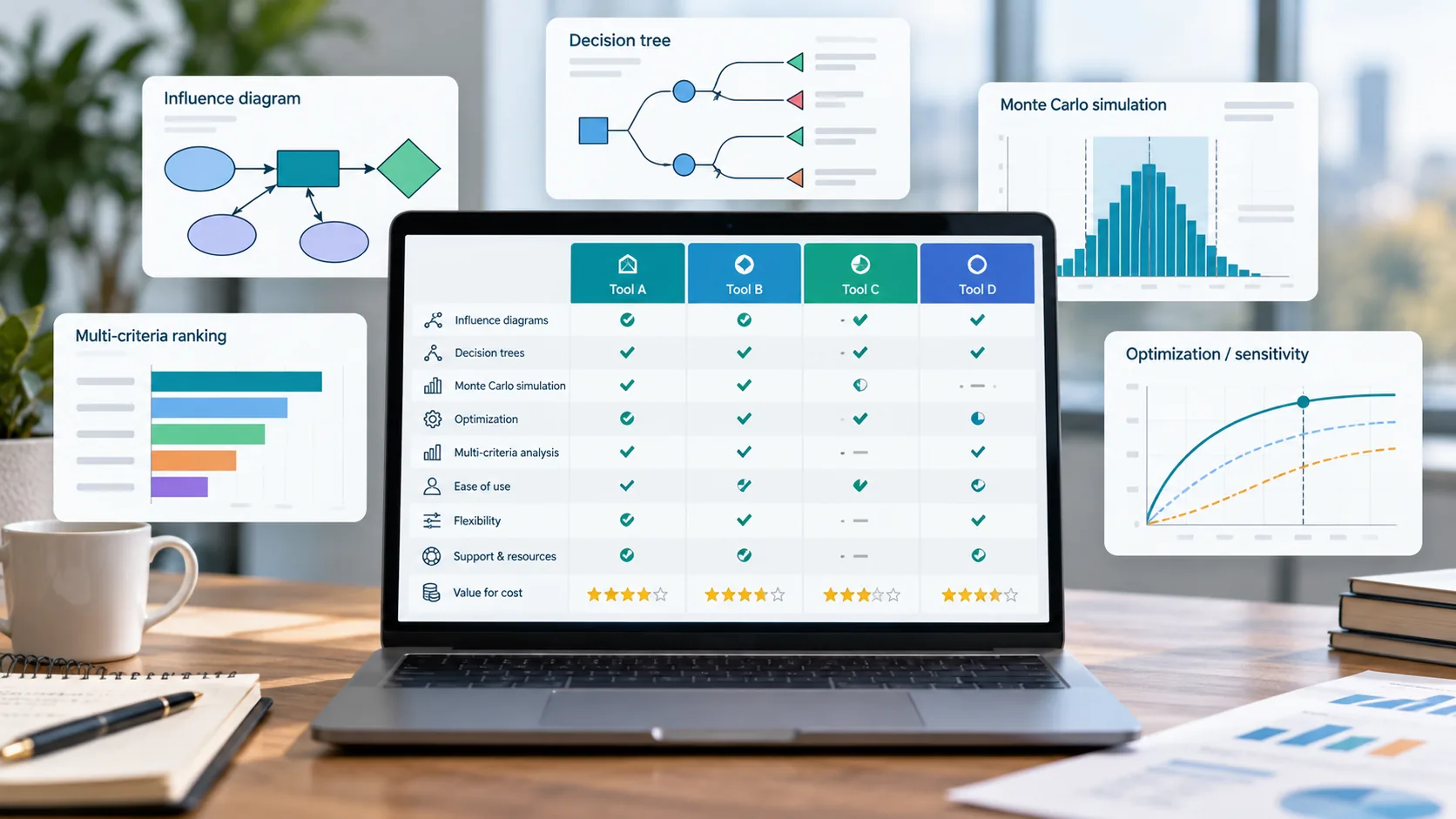
Comparison of multi-criteria decision-making software for 2026, with professionals reviewing weighted scores, evaluation criteria, and software rankings on a laptop.

Multi-criteria decision-making software falls into three groups by how it elicits criteria weights. AHP and pairwise-comparison platforms, including Comparion and Decision Lens, derive weights from structured pairwise judgments. PAPRIKA and outranking tools, including 1000minds and Visual PROMETHEE, use pairwise choice or ranking methods instead of direct scoring. Multi-attribute utility platforms, including Logical Decisions and Analytica, build explicit value functions across dissimilar criteria.

A capital allocation decision rarely reduces to one number. A generation portfolio choice might need to balance cost, reliability, and emissions; a vendor selection might need to weigh price against service quality and delivery risk.

A spreadsheet can hold the scores, but it cannot check whether a reviewer’s judgments are internally consistent, and it offers no structured way to bring several stakeholders to a shared set of weights. Multi-criteria decision-making software exists to solve that specific problem.

This comparison targets power and utility decision-makers primarily, including resource planning teams and capital prioritization committees who weigh competing investments against several criteria at once. It also serves public sector, health, environmental, and procurement analysts who face the same structural problem in a different setting. It reviews six products across three method groups, plus several additional tools worth knowing by name.

This review checks every feature and price against public vendor pages in the review month, and every figure is a starting point for a vendor quote rather than a final cost.

Multi-Criteria Decision-Making Software Compared: Features and Pricing

The comparison splits into two tables, one for modeling capability and one for free-tier terms and price, since the two follow different verification cycles.

Feature Matrix

The table below lists each product’s maker, deployment type, and core elicitation method alongside four capability columns.

Product Deployment Weighting
method
Group
elicitation
Sensitivity
on weights
Consistency
checking
Comparion
Expert Choice
Web
Web
AHP âś“ âś“ âś“
Decision Lens
Decision Lens
Web
Web
AHP, ANP âś“ âś“ âś“
1000minds
1000minds Ltd
Web
Web
PAPRIKA âś“ âś“ Not applicable
Visual PROMETHEE
VPSolutions
Desktop
Windows
PROMETHEE, GAIA âś“ âś“ Not documented
Logical Decisions
Logical Decisions Inc
Desktop
Windows
MAUT, AHP Not documented âś“ âś“
Analytica
Lumina Decision Systems
Desktop, web via ACP
Windows, web
Custom value functions Not documented âś“ Not applicable

Consistency checking applies only to AHP-based tools, since PAPRIKA and outranking methods validate preferences through a different mechanism, and an analyst custom-builds Analytica’s value functions rather than drawing them from a fixed consistency test.

Editions and Pricing

The second table covers free-tier availability and current pricing for the same six products.

Product Free version Price
Comparion Not available From approximately $660 per month
Decision Lens Not available From approximately $50,000 per user, per year
1000minds Not available From approximately $4,500 per project or survey
Visual PROMETHEE Academic Edition, free for non-profit research and teaching Business Edition not publicly disclosed, quote-based
Logical Decisions Not documented Not publicly disclosed
Analytica Free edition, capped at 101 objects, no time limit Professional $1,000 to $2,500 per year; Enterprise $2,000 to $5,000; Optimizer $4,000 to $10,000

Prices reflect public vendor pages and third-party software directories as of October 2026. Decision Lens in particular prices by portfolio size under an enterprise quote, so the figure above is an entry point rather than a typical deal size.

How These Tools Were Evaluated

This review assessed each product against five criteria drawn from its own public documentation rather than from marketing claims. The first is weighting method: whether the tool derives criteria weights through pairwise comparison, pairwise choice, value functions, or outranking.

The second is group support, meaning whether the software has a documented facilitation mode for bringing multiple stakeholders to a shared weighting.

The remaining criteria are sensitivity analysis on the resulting weights, consistency checking where the method supports it, and pricing as the vendor publishes or lists it. Where current vendor documentation did not confirm a capability, this article states that current documentation does not confirm the capability rather than asserting its absence, and no limitation in any review is one a vendor could reasonably dispute.

Selection Guide: Matching the Tool to the Decision Problem

The right tool depends on how your stakeholders prefer to express judgment, not on your industry, and the table below maps six common situations to the products that fit them.

If your situation needs this Consider Because
Stakeholders who are comfortable comparing pairs of criteria directly Comparion Its consistency ratio flags contradictory pairwise judgments during the elicitation session itself
Stakeholders who find it easier to choose between concrete alternatives than to assign numbers 1000minds PAPRIKA derives weights from pairwise choices rather than direct numeric input
Dissimilar criteria, such as cost and ecological impact, that need a common scale before they can be compared Logical Decisions Its value functions convert raw criterion scores to a shared utility scale before weighting
A large, geographically distributed stakeholder survey 1000minds or Comparion Both run natively on the web, so participants need no installed software
An MCDM problem that must sit inside a broader probabilistic or multidimensional model A custom Analytica value model Analytica builds weighted criteria as explicit, auditable objects inside an uncertainty-aware modeling environment
An enterprise project pipeline that needs ongoing governance, not a single decision Decision Lens It pairs AHP-based prioritization with portfolio tracking across budget cycles

Whichever row fits, the same logic carries through this article: AHP and PAPRIKA suit teams that want a packaged elicitation workflow, while a custom value model in Analytica suits teams that need the weighting to live inside a larger, uncertainty-aware decision model.

Core Capabilities in Multi-Criteria Decision-Making Software

The subsections below define the vocabulary this article uses, independent of any single vendor’s terminology.

What MCDM Is and When to Use It

Multi-criteria decision-making, which practitioners often abbreviate MCDM, is the structured evaluation of alternatives against several weighted criteria rather than a single financial metric. It suits decisions where no one number captures every stakeholder’s concern, such as choosing a vendor on price, quality, and delivery risk at once. A decision with a single dominant criterion, or one that expected value resolves entirely, generally does not need this structure.

Criteria Hierarchies and Weighting

A criteria hierarchy breaks a decision into a top-level goal, a set of criteria, and sometimes sub-criteria beneath each one. Weighting assigns each criterion a numeric importance, so the final score for an alternative reflects how much each criterion should count. Every method this article covers differs mainly in how it derives those weights from a reviewer’s judgment.

The Analytic Hierarchy Process and the Consistency Ratio

The Analytic Hierarchy Process, or AHP, derives criteria weights from pairwise comparisons, asking a reviewer how much more important one criterion is than another across every possible pair.

The consistency ratio is a built-in check that flags when those pairwise judgments contradict each other, such as rating A over B, B over C, and then C over A. Thomas Saaty developed AHP in the 1970s, and commercial MCDM software implements it more widely than any other weighting method.

Multi-Attribute Utility Theory and Value Functions

Multi-attribute utility theory, or MAUT, converts each criterion’s raw scores into a common utility scale using a value function, then combines those scaled scores with weights into a single overall score. This differs from AHP by requiring an explicit mathematical function for each criterion rather than pairwise ratio judgments. MAUT suits decisions where criteria use genuinely different units of measurement, such as cost in dollars and habitat area in acres.

PAPRIKA and Pairwise-Choice Weighting

PAPRIKA, an acronym for Potentially All Pairwise Rankings of all possible Alternatives, derives weights by presenting a reviewer with pairs of hypothetical alternatives and asking which one they prefer, rather than asking for a numeric ratio.

Researchers at the University of Otago developed the method, and it reduces the cognitive burden of direct numeric scoring for participants unfamiliar with formal weighting. 1000minds is the primary commercial implementation.

Outranking Methods: PROMETHEE and ELECTRE

Outranking methods, including PROMETHEE and ELECTRE, build a preference relationship between each pair of alternatives on each criterion, then aggregate those pairwise preferences into a ranking rather than a single weighted score.

This differs from AHP and MAUT by not forcing every criterion onto a common scale, which suits problems with genuinely incomparable criteria. PROMETHEE adds the GAIA visual plane, which plots alternatives and criteria together to show where trade-offs concentrate.

MACBETH

MACBETH, an acronym for Measuring Attractiveness by a Categorical Based Evaluation Technique, builds a value scale from a reviewer’s qualitative judgments about the size of the difference between two options, rather than from a numeric ratio or a forced choice.

M-MACBETH is the primary software implementation; its developers have maintained it since 1996, and the vendor’s own site still prices it for academic use. It suits reviewers who find a direct numeric scale harder to use than a qualitative one.

Group Elicitation and Facilitation

Group elicitation is the process of bringing several stakeholders to a shared set of criteria weights, either by averaging individual judgments or by facilitating a live session toward consensus. Several tools in this category include a facilitator-facing dashboard built specifically for running that session with a group in the room or on a call. This differs from a single analyst building a model alone, since the software has to surface disagreement rather than hide it.

Sensitivity Analysis on Criteria Weights

Sensitivity analysis on criteria weights tests how much a small change to one weight would change the final ranking of alternatives, which shows a decision maker how robust the recommendation actually is.

A ranking that flips with a small weight change deserves more scrutiny than one that holds steady across a wide range. This matters most when stakeholders disagree on the exact weight a criterion deserves, since the analysis shows whether that disagreement changes the outcome.

Transparency and Auditability of the Weighting

Transparency refers to how easily a reviewer who did not build the model can trace why one alternative outranked another, down to the specific criterion weights and judgments that drove the result.

This matters directly for public sector and capital allocation decisions, where a rejected vendor or project sponsor may ask for the reasoning behind a ranking. Tools that keep weights and judgments as labeled, inspectable objects support this better than a single blended score with no visible breakdown.

Deployment and Large Stakeholder Surveys

Deployment determines whether a tool runs as a desktop application the analyst controls, or as a web application stakeholders can open directly in a browser. Web deployment matters specifically for a large, distributed stakeholder survey, since participants can respond from any device without installing software or coordinating a shared file. Desktop tools generally suit a single analyst building a model, while web tools suit a facilitated group process that spans locations.

AHP and Pairwise-Comparison Platforms

The two products in this group derive criteria weights from structured pairwise comparisons, which commercial MCDM software implements more widely than any other weighting method.

Comparion

Expert Choice built the Analytic Hierarchy Process into commercial software as early as 1983, and Comparion is the company’s current web-based platform for running that method.

A reviewer works through a structured set of pairwise judgments, rating how many times more important one criterion is than another across the whole hierarchy, and the platform’s consistency ratio continuously checks those judgments against each other, flagging contradictions such as rating A over B, B over C, and then C over A before the weights lock in.

A facilitator dashboard lets an analyst run that elicitation live with a room full of stakeholders or a distributed group on a call, aggregating individual judgments into a single hierarchy as the session runs. Sensitivity analysis then shows how much the final ranking would move if a reviewer’s weight on any one criterion shifted, which gives a prioritization committee a defensible answer when a rejected proposal challenges the outcome.

Best for: capital allocation, vendor selection, and public sector prioritization decisions that need a documented, defensible pairwise record behind the final ranking.

Key strengths:

  • A continuously updated consistency ratio flags contradictory pairwise judgments before the weighting session ends
  • Facilitator dashboards aggregate individual stakeholder judgments into one hierarchy during a live session
  • Sensitivity analysis quantifies how far a ranking would move if a single criterion’s weight changed
  • Federal, state, and local government agencies document capital and portfolio decisions built on the platform
  • Academic and dissertation licenses carry a discount for non-commercial research

Limitations:

  • Does not offer PAPRIKA, outranking, or value-function weighting as alternatives to AHP within the same product
  • The subscription model has no free tier
  • A large criteria set can turn pairwise comparison into a lengthy elicitation session

Price: From approximately $660 per month, as of October 2026, per vendor and third-party listings.

Verdict: Comparion fits organizations that have settled on AHP as their weighting method and want rigorous consistency checking built into the elicitation itself. Stakeholders who find pairwise comparison awkward, or who prefer choosing between concrete alternatives, tend to do better with 1000minds or Logical Decisions.

Website: expertchoice.com

Decision Lens

Decision Lens is a cloud-based planning and prioritization platform built specifically for government portfolio and budget decisions, in continuous operation since 2005. It applies AHP and the related Analytic Network Process to rank initiatives against mission-critical criteria, then layers that ranking inside a broader portfolio management and budget tracking system.

John Saaty, the son of AHP’s creator Thomas Saaty, leads the company as CEO, which ties the product closely to the original method’s academic lineage.

The Pentagon, several federal civilian agencies, and multiple state governments use Decision Lens to prioritize capital and technology investment portfolios, which makes it the clearest fit in this article for an organization managing an ongoing pipeline rather than a single one-time decision.

Best for: enterprise and government portfolios that need AHP-based prioritization combined with continuous budget and governance tracking.

Key strengths:

  • Combines AHP and ANP prioritization with portfolio and budget governance in one platform
  • FedRAMP certified, supporting federal government security requirements
  • Documented use by the Department of Defense, federal civilian agencies, and state governments
  • Supports aggregating and comparing data across multiple portfolios at once
  • A team with direct lineage to AHP’s original development built the platform

Limitations:

  • Enterprise pricing puts it well out of reach for a single ad hoc decision
  • No free trial or free version
  • Government and large-enterprise focus means less documented use in smaller commercial settings

Price: From approximately $50,000 per user, per year, as of October 2026, per third-party listings; actual contracts price by portfolio size under a custom quote.

Verdict: Decision Lens fits organizations managing a recurring portfolio of competing investments, not a single standalone decision. Teams with a one-time prioritization problem and a smaller budget should look to Comparion instead.

Website: decisionlens.com

Alternative-Elicitation and Outranking Methods

The two products in this group replace direct pairwise comparison with a different way of drawing weights or rankings out of a reviewer’s judgment.

1000minds

1000minds Ltd built its platform around PAPRIKA, an elicitation method researchers at the University of Otago designed specifically to avoid asking reviewers for direct numeric weights.

Instead of rating a criterion’s importance on a scale, a participant sees two hypothetical alternatives side by side and simply picks the one they prefer; the software accumulates enough of these pairwise choices to back out a complete, internally consistent set of criterion weights. For stakeholders who find abstract numeric scoring uncomfortable or unfamiliar, choosing between two concrete options tends to feel far more natural.

The platform scales that same mechanism to large, geographically distributed panels, aggregating choices from however many participants a study needs without requiring anyone to install software or travel to a shared session. 1000minds also carries a long, peer-reviewed track record specifically in patient prioritization and health technology assessment, a sector where the PAPRIKA method originated.

Best for: health prioritization, public sector resource allocation, and any group decision where stakeholders find choosing between alternatives easier than assigning numbers to them.

Key strengths:

  • PAPRIKA backs out consistent criterion weights from simple pairwise choices rather than direct numeric scoring
  • A long, peer-reviewed research record documents its use in patient prioritization and health technology assessment
  • Large-scale stakeholder surveys run natively on the web, with results aggregating automatically across every participant
  • Shareable reports and sensitivity analysis give public sector buyers an audit trail back to the underlying choices
  • No participant needs to install software, which lowers the barrier for a large or dispersed panel

Limitations:

  • Offers no AHP, outranking, or value-function alternative to PAPRIKA within the same product
  • Pricing runs per project or per survey rather than as a flat subscription, with no free tier
  • Fits ranking and prioritization problems better than decisions that need a custom multi-attribute value function

Price: From approximately $4,500 per project or survey, as of October 2026, per vendor and third-party listings.

Verdict: 1000minds fits organizations that need a defensible, peer-reviewed method for large or distributed stakeholder panels, particularly in health and public policy. Teams whose criteria resist a common scale, or who need a bespoke value model, should weigh Visual PROMETHEE or Analytica instead.

Website: 1000minds.com

Visual PROMETHEE

VPSolutions develops Visual PROMETHEE, a desktop multi-criteria decision aid that implements the PROMETHEE and GAIA outranking methods on Windows. It builds a preference relationship between every pair of alternatives on each criterion, then aggregates those pairwise preferences into a ranking rather than forcing every criterion onto one common scale.

The GAIA plane visualizes that ranking alongside the criteria driving it, showing analysts where trade-offs concentrate and where alternatives cluster.

The software ships in two editions: a Business Edition for commercial decision-makers and an Academic Edition free to non-profit research and teaching users, a distinction that matters for readers deciding whether their use qualifies for the free tier. D-Sight, a related commercial outranking tool from the same method family, serves a similar audience with a cloud-based interface.

Best for: analysts working with genuinely incomparable criteria that resist a single common weighted scale.

Key strengths:

  • Implements PROMETHEE I and II ranking alongside the GAIA visual trade-off plane
  • A free Academic Edition supports non-profit research and teaching use
  • Supports sensitivity analysis, what-if scenarios, and stability intervals on the ranking
  • Supports individual or group evaluations with scenario management and comparative reporting
  • Does not force dissimilar criteria onto a single common scale before ranking

Limitations:

  • Windows-only desktop deployment, with no documented web version
  • Current documentation does not confirm a built-in consistency check comparable to AHP’s
  • VPSolutions does not publicly disclose Business Edition pricing and requires a vendor quote

Price: Academic Edition free for non-profit research and teaching; Business Edition not publicly disclosed, quote-based, as of October 2026.

Verdict: Visual PROMETHEE fits analysts and researchers whose criteria genuinely resist a common scale, particularly in academic or non-profit settings where the free edition applies. Commercial teams needing a web-based, facilitator-ready tool should weigh Comparion or 1000minds instead.

Website: promethee-gaia.net

Multi-Attribute Utility and Flexible Value-Modeling Platforms

The two products in this group build an explicit value function across dissimilar criteria rather than relying on pairwise comparison or choice alone.

Logical Decisions

Logical Decisions Inc built its namesake desktop platform around multi-attribute utility theory and added the Analytic Hierarchy Process as a second weighting option in the same application.

Rather than asking a reviewer to rate pairwise importance, the software has an analyst define an explicit value function for each criterion, a curve that converts a raw score, say habitat acres restored or budget dollars spent, onto a common 0-to-1 utility scale before the model applies any weight. That conversion step is what lets the tool combine criteria that share no natural unit into one defensible score.

Environmental agencies and public health budget offices have published decisions built on this approach for decades, which gives the platform an unusually long citation record in peer-reviewed environmental and health policy literature compared with the newer web-based AHP and PAPRIKA tools in this article.

Best for: environmental and public health trade-off analysis where converting dissimilar criteria to a common utility scale fits the stakeholder group’s thinking better than pairwise comparison.

Key strengths:

  • Explicit value functions convert dissimilar criteria, such as cost and ecological impact, onto one common utility scale
  • Combines multi-attribute utility theory and AHP as two selectable weighting methods in one product
  • A decades-long citation record in peer-reviewed environmental and public health budget literature
  • Keeps every criterion weight and value function as an inspectable, documented model object rather than a blended score
  • Suits agencies that need to defend a budget or siting decision against a specific published methodology

Limitations:

  • Current documentation does not confirm a dedicated group or facilitated elicitation feature
  • Logical Decisions Inc has not published current pricing, and this article could not confirm it with the vendor
  • Runs only as Windows desktop software, with no documented web-based version

Price: Not publicly disclosed as of October 2026, and not independently confirmed with the vendor at the time of writing.

Verdict: Logical Decisions fits environmental and public health teams whose published methodology already runs on multi-attribute utility theory. Buyers who need live, facilitated group weighting sessions, or confirmed current pricing, should raise both points with the vendor before committing.

Website: Not confirmed at the time of writing; readers should search for the vendor’s current site directly.

Analytica

Lumina Decision Systems develops Analytica, a decision modeling platform that does not include a dedicated, packaged AHP-style or multi-attribute module, a limitation its own sibling comparison of decision analysis software states directly.

What it offers instead is the flexibility to build a custom multi-attribute value model as a set of explicit, auditable objects, weighted criteria and value functions defined the same way as any other variable, inside a modeling environment that also handles Monte Carlo simulation and multidimensional arrays natively. This suits a narrower but specific need: an MCDM problem that lives inside a broader probabilistic or multidimensional decision model, rather than standing alone as a separate weighting exercise.

Lumina’s own Intelligent Arrays let that custom value model scale across dimensions such as region or project category without duplicating structure, and the Analytica Cloud Platform can publish the finished model to stakeholders as a web-based interface.

Best for: analysts who need weighted-criteria scoring to live inside a larger, uncertainty-aware decision model, rather than as a standalone packaged workflow.

Key strengths:

  • Weighted criteria and value functions exist as explicit, auditable model objects, not a black-box score
  • Native Monte Carlo simulation lets an MCDM model account for uncertainty in the underlying data
  • Intelligent Arrays scale a value model across dimensions such as region or category without duplicated structure
  • Web deployment through the Analytica Cloud Platform supports non-technical stakeholder review
  • A permanently free edition supports models up to 101 objects with no time limit

Limitations:

  • Has no dedicated, packaged AHP, PAPRIKA, or MAUT module, so building a value model takes general modeling skill
  • Current documentation does not confirm a consistency check comparable to AHP’s
  • Smaller community of published MCDM-specific models than the dedicated AHP and PAPRIKA tools in this article

Price: Professional edition $1,000 to $2,500 per year, Enterprise edition $2,000 to $5,000 per year, and Optimizer edition $4,000 to $10,000 per year, as of October 2026, per vendor website. A permanently free edition is available with no time limit.

Verdict: Analytica fits teams whose weighted-criteria problem must sit inside a broader uncertainty model, not teams looking for the fastest route to a packaged AHP workflow. Buyers who want a turnkey elicitation process out of the box should start with Comparion, 1000minds, or Logical Decisions.

Website: lumina.com

Adjacent Categories Worth Knowing

Two related categories sit near multi-criteria decision-making software without answering quite the same question. Portfolio-prioritization and governance platforms, such as SmartOrg, add workflow, approval chains, and budget tracking on top of a scoring process, closer to project management than to a structured weighting method in itself.

Probabilistic decision-analysis platforms, such as DPL and TreeAge Pro, which this site’s comparison of decision analysis software covers, solve a related but distinct problem, ranking outcomes by expected value under uncertainty rather than by weighted criteria.

Plain weighted-scoring spreadsheets and templates round out the category. They work adequately for a small, low-stakes decision, but they offer no consistency checking, no structured elicitation process, and no audit trail a reviewer can trace back to the original judgments.

Multi-Criteria Decision-Making in the Power and Utility Sector

Four recurring power and utility decisions call for structured weighting rather than a single financial metric, since each balances criteria that do not reduce to one number.

Decision problem Why weighted criteria fit
Generation portfolio and grid-investment prioritization Cost, reliability, and emissions pull in different directions, and no single metric captures the trade-off a board or regulator will accept
Vendor and EPC selection Price, technical capability, and delivery risk need a documented, defensible weighting that survives a disputed award
Environmental and stakeholder trade-offs in siting Community impact, habitat disruption, and project cost use genuinely different units of measurement that a value function can reconcile
Reservoir and water allocation among competing users Multiple users with conflicting priorities need a transparent process for weighting those priorities against each other

The same logic extends to three other areas of use, where the specific application changes but the underlying weighting problem stays the same.

  • Public sector budgeting: agencies rank competing capital requests against mission-critical criteria under a fixed, defensible process
  • Health prioritization: patient and program prioritization decisions weigh clinical, cost, and equity criteria that resist a single metric
  • Procurement: vendor and supplier selection weighs price against quality, risk, and service criteria using the same structured elicitation logic

Across all seven situations, the same test applies: multi-criteria decision-making software earns its place wherever a decision has to balance several weighted, often qualitative, criteria rather than optimize a single number.

Is This Comparison Objective?

A team that includes staff of Lumina Decision Systems, the maker of Analytica, researched and wrote this comparison, and readers should weigh that affiliation against the following safeguards.

  • This article includes Analytica as one of the six products it reviews, in its natural class alongside Logical Decisions, rather than presenting it separately
  • This article checked every competitor limitation against public vendor documentation before inclusion
  • This article includes no limitation that a vendor could reasonably dispute as factually inaccurate
  • Readers who find an inaccuracy in any review, including the Analytica review, can contact Lumina Decision Systems through the official contact page at lumina.com

These safeguards narrow the risk of bias but do not remove the underlying affiliation, so readers evaluating a purchase should weigh this article alongside independent sources as well.

Frequently Asked Questions

What is multi-criteria decision-making software?

Multi-criteria decision-making software helps a team rank or score alternatives against several weighted criteria at once, rather than reducing the decision to a single financial metric. It typically structures the decision as a hierarchy or set of criteria, elicits weights or preferences from one or more reviewers, and produces a ranked list with a documented trail back to the judgments behind it.

What do the terms MCDM, MCDA, MAUT, and AHP mean, and how do they relate?

MCDM and MCDA, multi-criteria decision-making and multi-criteria decision analysis, refer to the same general field, and writers use the two terms largely interchangeably. MAUT and AHP are specific methods within that field: MAUT builds value functions across dissimilar criteria, while AHP derives weights from pairwise comparisons. PAPRIKA, PROMETHEE, and MACBETH are three more specific methods within the same broader MCDM field.

How do I choose between AHP, PAPRIKA, and MAUT?

The choice depends mainly on how your stakeholders find it easiest to express judgment. AHP suits reviewers comfortable comparing pairs of criteria directly, PAPRIKA suits reviewers who find choosing between concrete alternatives more intuitive than assigning numbers, and MAUT suits decisions where criteria use genuinely different units of measurement that need an explicit common scale.

Can Excel do multi-criteria decision analysis?

A spreadsheet can hold a weighted-scoring table, but Excel alone offers no consistency checking, no structured pairwise elicitation, and no facilitation mode for bringing a stakeholder group to shared weights. Dedicated MCDM software adds those structured elicitation and validation steps on top of what a spreadsheet already does.

Which MCDM tools support group or stakeholder weighting?

Comparion, Decision Lens, and 1000minds each document a facilitated or group elicitation mode built for bringing multiple stakeholders to a shared set of weights. Visual PROMETHEE supports individual or group evaluations with scenario management, while Logical Decisions and Analytica do not document a dedicated group facilitation feature as of October 2026.

What is the best free MCDM software?

The Creative Decisions Foundation develops Super Decisions under the direction of AHP’s own creator, Thomas Saaty; it is a free AHP and ANP tool built specifically for research and education. Analytica offers a permanently free edition for readers who need to build a custom multi-attribute value model rather than use a packaged AHP workflow.

How is MCDM different from decision-tree or probabilistic decision analysis?

MCDM ranks alternatives by weighted, often qualitative criteria, while probabilistic decision analysis, which this site’s comparison of decision analysis software covers, ranks choices by expected value under uncertainty. The two can overlap, since a multi-attribute value model can sit inside a probabilistic framework, but a standalone MCDM tool generally does not model probability distributions the way a dedicated decision analysis platform does.

How should an organization evaluate MCDM software before purchase?

Start by identifying which elicitation method your stakeholders will actually use consistently, since a technically superior method that reviewers find confusing produces worse weights than a simpler one they understand. Then confirm whether the decision is a one-time exercise or an ongoing portfolio process, since that distinction points toward a lighter AHP or PAPRIKA tool versus a governance-focused platform like Decision Lens.

Which MCDM tools are used in the power and utility sector?

Comparion and Decision Lens both document use in capital allocation and portfolio prioritization relevant to utility planning, and documentation specifically ties Decision Lens to government infrastructure and technology investment decisions. Logical Decisions has a documented history in environmental resource management, which overlaps with siting and environmental trade-off decisions in the sector.


Best System Dynamics Simulation Software: 2026 Comparison

Professionals comparing system dynamics simulation software using stock-and-flow diagrams, feedback loops, and simulation charts during a collaborative analysis session.

For power and utility planners modeling feedback, delay, and accumulation rather than a single forecast, three classes of system dynamics software serve distinct needs. Vensim and Stella Architect are the dedicated platforms most cited in peer-reviewed transition modeling, with strong calibration and stakeholder-facing publishing, respectively. AnyLogic and GoldSim combine system dynamics with agent-based or discrete-event methods and integrated Monte Carlo simulation. Analytica supports dynamic simulation with feedback inside a broader decision-modeling platform, without the conventional stock-and-flow diagram.

System dynamics is a modeling method that represents a system as stocks, flows, and feedback loops to explain how structure produces behavior over time. Jay Forrester developed system dynamics at MIT, and the System Dynamics Society later formalized it; the field treats delay and accumulation as first-class model elements rather than assumptions a forecast buries.

This comparison targets technical decision-makers in the power and utility sector, including heads of long-term planning and transition modeling leads, as its primary audience, and analysts in six other areas of use who model feedback-driven systems as a secondary audience. Some writers also render the field as systems dynamics, though system dynamics is the standard form used in the literature and by the Society.

The article in question reviews eight products across two methodological groups, plus a short section on code-first alternatives, drawing on the comparison tables below and the selection guide that follows.

System Dynamics Software Compared: Features and Pricing

Sixteen columns of specification do not render well on a single screen, so this comparison splits into two tables. The first covers modeling paradigm and structure, and the second covers numerical methods, analysis capability, deployment, and price.

Modeling Paradigm and Structure

The table below lists each product’s maker, category, platform, and four structural modeling capabilities.

Product Type and
platform
Stock and flow
diagrams
Causal loop
diagrams
Arrays or
subscripts
Agent based or
discrete event
Vensim
Ventana Systems
Dedicated system dynamics
Windows, macOS
âś“ âś“ âś“ No
Stella Architect / Stella Professional
isee systems
Dedicated system dynamics
Windows, macOS, web
âś“ âś“ âś“ No
Powersim Studio
Powersim Software
Dedicated system dynamics
Windows
âś“ âś“ âś“ Discrete event only
Insight Maker
Insight Maker (open source)
Dedicated system dynamics
Web
âś“ âś“ âś“ âś“
Berkeley Madonna
Berkeley Madonna Inc
Differential equation solver
Windows, macOS
Partial (equation-driven flowchart editor) No âś“ Discrete event only
AnyLogic
The AnyLogic Company
Multimethod simulation
Windows, macOS, Linux
âś“ Not documented âś“ âś“
GoldSim
GoldSim Technology Group
Hybrid dynamic and Monte Carlo simulation
Windows
âś“ Not documented âś“ Discrete event only
Analytica
Lumina Decision Systems
Decision modeling platform
Windows, web
No No âś“ No

Stock and flow diagrams appear in six of the eight products.

Numerical Methods, Analysis, and Price

The second table covers the numerical and analysis side, along with free-tier terms and current pricing.

Product Integration
methods
Units
checking
Monte Carlo
and sensitivity
Calibration and
optimization
Web
deployment
Vensim Euler, RK4, adaptive âś“ âś“ âś“ Not documented
Stella Architect / Stella Professional Euler, RK4 âś“ âś“ Paid tier (Architect) âś“
Powersim Studio Euler, RK4 âś“ âś“ âś“ âś“
Insight Maker Euler, RK4 âś“ Sensitivity and optimizer; Monte Carlo not documented âś“ âś“
Berkeley Madonna Multiple solvers, including stiff-system methods Not documented âś“ âś“ Not documented
AnyLogic Not documented Not documented âś“ Paid tier âś“
GoldSim Not documented Not documented âś“ Not documented Not documented
Analytica Not applicable, array-based time recursion Not documented âś“ Paid tier (Optimizer) âś“
Product Free version Annual price
Vensim PLE (free for education and evaluation) PLE+ from $169; Professional from $1,195; DSS from $1,995, single copy including one year of maintenance
Stella Architect / Stella Professional Not documented From approximately $509 per year, entry tier; Architect pricing on request
Powersim Studio Free Express edition, limited From approximately $3,000
Insight Maker Yes, no cost $0
Berkeley Madonna Trial only Not publicly disclosed
AnyLogic Personal Learning Edition, free and non-commercial Professional from approximately $12,390 to $18,990 per year; University Researcher from approximately $3,550 to $4,250 per year
GoldSim Player only, view and run, no model building From approximately $1,050 per year; a perpetual license option is also documented
Analytica Free edition, 101 objects, no time limit Professional $1,000 to $2,500; Enterprise $2,000 to $5,000; Optimizer $4,000 to $10,000

Prices and features reflect public vendor pages and third-party software directories as of September 2026. Several vendors, including AnyLogic, Berkeley Madonna, and GoldSim, price by quote rather than by published list, so readers should treat every figure as a starting point for a vendor conversation.

How These Tools Were Evaluated

This review assessed each product against six criteria drawn from its own public documentation rather than from marketing claims. The first criterion is modeling paradigm: whether the tool centers on stock and flow diagrams, treats system dynamics as one method among several, or solves the underlying differential equations without a stock and flow interface at all.

The second is numerical rigor, meaning whether the vendor names its integration methods explicitly and documents how time step choice affects results in stiff models.

The remaining criteria are documented capability across causal loop diagrams, units checking, calibration against historical data, and policy optimization, along with platform and deployment options, pricing as the vendor publishes or lists it, and free or trial availability.

Weighting favored numerical rigor and units checking over interface polish, since an audience of technical planners is more likely to reject a model on a units error than on an unpolished chart. Where current vendor documentation did not confirm a capability, this article states that the capability was not documented as of September 2026 rather than asserting its absence.

Selection Guide: Matching the Tool to the Modeling Problem

The right tool depends more on the shape of your modeling problem than on your industry, and the table below maps six common needs to the products that fit them.

If your modeling problem needs this Consider Because
A model peer reviewers will recognize as following the field’s stock and flow convention Vensim or Stella Architect Published system dynamics literature cites both more than any other dedicated platform, with Vensim stronger on calibration and Stella stronger on stakeholder-facing publishing
A free, no-cost way to prototype a feedback structure before committing to a paid platform Insight Maker It is completely free, runs in a browser, and supports the same stock and flow and causal loop conventions as the paid tools
Combining system dynamics with agent-based or discrete-event detail in one model AnyLogic It is the only product this article reviews, built from the ground up as a multimethod platform combining all three paradigms
Modeling under uncertainty with system dynamics embedded inside a Monte Carlo framework GoldSim or Analytica GoldSim wraps dynamic simulation in Monte Carlo sampling for environmental and engineering risk, while Analytica does the same for general decision models with multidimensional arrays
Fast solving of a large, equation-heavy or stiff model, such as a detailed biomedical system Berkeley Madonna Its differential equation solver prioritizes speed on stiff systems, though it trades away the conventional stock and flow interface
A multidimensional model with integrated uncertainty analysis and review transparency, where the stock and flow convention is not a requirement Analytica Its influence diagrams and Intelligent Arrays support multidimensional feedback models with built-in Monte Carlo simulation, though modelers trained in Vensim or Stella face a transition

Whichever row matches your situation, the same trade-off repeats throughout this article: the dedicated system dynamics platforms in Group A hew closest to the field’s visual convention, while the hybrid platforms in Group B trade some of that convention for multimethod modeling, integrated uncertainty analysis, or both.

Core Capabilities in System Dynamics Software

The subsections below define the vocabulary this article references throughout, independent of any single vendor’s terminology.

Stocks, Flows, and Accumulation

A stock is a quantity that accumulates or depletes over time, such as installed generation capacity or the population enrolled in a program, and a flow is the rate at which a stock changes, such as capacity added per year. Accumulation is the defining mathematical operation of system dynamics: every stock is the running total of its inflows minus its outflows since the model’s start time.

This distinction matters because a forecast that treats capacity as an exogenous input, rather than as a stock accumulating from a buildout flow, cannot represent constraints on how fast that flow can grow.

Feedback Loops, Delays, and Dynamic Complexity

A feedback loop exists when a stock’s level influences one of its own flows, either reinforcing a trend or balancing it back toward equilibrium. A delay is the time lag between an action and its effect, such as the years between a permitting decision and a plant coming online.

Dynamic complexity is the counterintuitive behavior that emerges when several feedback loops and delays interact, which is why a system with simple parts can still produce oscillation, overshoot, or collapse that a static forecast would not anticipate.

Causal Loop Diagrams and Qualitative Mapping

A causal loop diagram maps the reinforcing and balancing relationships between variables using arrows and polarity signs, without yet specifying stocks, flows, or numerical values. It is typically the first step in a system dynamics project, used to build shared understanding of a problem’s structure among stakeholders before the team builds a quantified model. Not every tool that supports full simulation also supports this qualitative mapping stage as a distinct, exportable diagram type.

Integration Methods and Time Step Selection

An integration method is the numerical technique a solver uses to advance a model from one time step to the next, most commonly Euler’s method or fourth-order Runge-Kutta. Euler’s method is faster but less accurate and can produce misleading results in stiff models, where some variables change far faster than others within the same time step.

Fourth-order Runge-Kutta corrects for this at added computational cost, so the choice of method and time step is a documented, defensible modeling decision rather than a default setting to ignore.

Units Checking and Dimensional Consistency

Units checking verifies that every equation in a model combines quantities in a dimensionally valid way, such as confirming that an equation does not mistakenly add a flow measured in megawatts per year to a stock measured in megawatts.

Dimensional consistency errors are among the most common sources of undetected model error, since a units mismatch can produce a plausible-looking number that is nonetheless wrong. Tools that check units automatically catch this class of error before the model runs, rather than after a decision maker has already acted on a flawed result.

Sensitivity Analysis and Monte Carlo Simulation

Sensitivity analysis identifies which input assumptions most affect a model’s output, typically by varying one parameter at a time or running many combinations at once. Monte Carlo simulation extends this by sampling repeatedly from probability distributions assigned to uncertain inputs, producing a distribution of possible outcomes rather than a single scenario. In system dynamics, this matters most for stocks with long accumulation horizons, where small differences in an early growth rate compound into large differences decades later.

Calibration and Parameter Estimation Against Historical Data

Calibration is the process of adjusting a model’s parameters so its simulated behavior matches observed historical data as closely as possible, typically by minimizing the error between simulated and actual time series. It gives a model credibility beyond face validity, since a structure that can reproduce known past behavior is more likely to represent the real feedback mechanisms driving a system.

Not every system dynamics tool automates this process; some require the analyst to adjust parameters manually and compare fit by inspection.

Policy Optimization and Scenario Search

Policy optimization searches across a defined range of parameter or policy values to find the combination that best achieves a stated objective, such as minimizing cost or maximizing resource adequacy across simulated futures. This differs from simply running a handful of manually chosen scenarios, since the software searches a much larger space of possible policies automatically.

Optimization is most useful once an analyst has already calibrated a model, so the search explores genuine policy trade-offs rather than compensating for a poorly fitted structure.

Subscripts, Arrays, and Disaggregation

Subscripts, which some tools call arrays, let a single stock or flow definition apply across multiple dimensions at once, such as region, fuel type, or customer segment, without duplicating the underlying equation for each combination.

This disaggregation is what allows a model to represent, for example, generation capacity that a single defined variable breaks out by both technology and vintage year. Tools vary in how this capability scales, since very large arrays can slow simulation runs considerably in some platforms.

Hybrid Modeling with Agent-Based and Discrete Event Methods

Agent-based modeling represents a system as a population of individual agents following behavioral rules, letting aggregate patterns emerge from those individual interactions rather than having a modeler specify them directly. Discrete event modeling represents a system as a sequence of events occurring at specific points in time, such as customer arrivals or maintenance outages.

A hybrid platform that combines these methods with system dynamics lets a modeler represent, for instance, individual customer adoption decisions feeding into an aggregate stock of installed technology in the same model.

Model Transparency, Documentation, and Peer Review

Model transparency refers to how easily a reviewer who did not build a model can trace its logic, equations, and data sources without the original analyst present. This property matters directly to published, peer-reviewed system dynamics work, where reviewers and replicators need to inspect the model’s structure rather than take its conclusions on faith.

Tools with named, labeled stocks and flows and exportable documentation tend to score higher on this criterion than models built primarily through custom code.

Interfaces, Web Publishing, and Stakeholder-Facing Simulators

Some system dynamics tools serve the modeler’s own analysis primarily, while others add an interface layer for publishing an interactive simulator that a non-technical stakeholder can run without seeing the underlying equations. This typically takes the form of sliders, dashboards, and simplified graphics that sit over the same simulation engine used to build the model.

This distinction matters for consulting and teaching use cases, where the deliverable is often the interactive experience rather than the model file itself.

Data and Code Integration with Excel, Python, R, and Databases

Integration determines whether a system dynamics tool can read inputs from and write outputs to Excel workbooks, relational databases, or Python and R scripts, rather than requiring manual data entry.

Several tools in this category also support translating a model into Python directly, which lets a modeler apply machine learning or big data tools to system dynamics output without leaving the Python ecosystem. This capability has grown in importance as system dynamics work increasingly sits alongside broader data science pipelines.

Dedicated System Dynamics Platforms

The five products in this group share the field’s core visual convention, representing a model as a diagram of stocks, flows, and the auxiliary variables and feedback loops that connect them.

Vensim

Ventana Systems develops Vensim, a dedicated system dynamics platform it first released in 1985. It represents models through stock and flow diagrams, supplementing them with causal loop views, and it names its integration methods explicitly, offering Euler’s method alongside second- and fourth-order Runge-Kutta options so an analyst can trade speed for accuracy in stiff models.

Vensim’s Reality Check feature runs a library of consistency tests against a model’s structure and units, and its calibration tools optimize parameters against historical time series using several documented search algorithms.

Ventana positions Vensim’s DSS and Professional editions around large-scale policy and optimization work, and current Pro and DSS licenses with active maintenance now include a subscription to Ventity, Ventana’s companion agent-based modeling tool, extending Vensim’s reach into hybrid modeling without building agent-based logic into Vensim itself.

Best for: technical planners and researchers who need a peer-recognized, heavily calibrated system dynamics model for published or regulatory-facing work.

Key strengths:

  • Explicit, named integration methods including Euler and fourth-order Runge-Kutta, with documented guidance on stiff models
  • Reality Check consistency testing and dimensional units checking built into the modeling environment
  • Documented calibration against historical time series using multiple optimization algorithms
  • A free PLE edition supports education and evaluation at no cost
  • Current Pro and DSS maintenance now includes a Ventity subscription for agent-based extensions
  • A multi-decade record of documented use in peer-reviewed system dynamics literature

Limitations:

  • Interface is dated relative to newer competitors, particularly for stakeholder-facing presentation
  • Current documentation does not confirm native XMILE import or export as of September 2026
  • No native agent-based or discrete-event modeling without the separate Ventity product
  • Current documentation does not confirm web deployment for non-technical stakeholders as of September 2026

Price: PLE+ from $169, Professional from $1,195, and DSS from $1,995 for a single commercial copy including one year of maintenance, as of September 2026, per vendor website. A free PLE edition is available for education and evaluation.

Verdict: Vensim remains the reference point that researchers most often build or check published system dynamics work against, particularly where calibration and units rigor matter more than interface polish. Teams prioritizing a modern, stakeholder-facing presentation layer should weigh that trade-off against Stella Architect.

Website: vensim.com

Stella Architect and Stella Professional

isee systems develops Stella Architect and Stella Professional, dedicated system dynamics platforms descended from the original STELLA modeling language, which the company introduced in the 1980s. Both represent models as stock-and-flow diagrams with causal loop mapping, and both offer Euler’s method and fourth-order Runge-Kutta as integration options.

Stella Architect adds a publishing layer that turns a working model into an interactive, web-hosted simulator through isee Exchange, letting stakeholders explore sliders and outcomes without seeing the underlying equations.

isee systems has also been a leading contributor to the XMILE open interchange standard, and several of the code-first Python tools covered later in this article can read Stella models saved in that format. Stella Professional targets internal analytical use, while isee systems positions Architect specifically around stakeholder-facing publishing and consulting deliverables.

Best for: consulting engagements and teaching contexts where an interactive, stakeholder-facing simulator matters as much as the underlying model.

Key strengths:

  • Strongest publishing layer this article reviews, turning a model into a web-hosted interactive simulator via isee Exchange
  • Native XMILE support, which enables model portability into Python-based tools
  • Named Euler and fourth-order Runge-Kutta integration methods with documented time step guidance
  • Units checking and dimensional consistency built into the modeling environment
  • Widely used in university teaching, giving new modelers access to extensive published course material
  • Optimization tooling available in the Architect edition for policy search against a defined objective

Limitations:

  • Current listings did not consistently document free or trial availability as of September 2026
  • Confirmed current pricing sits well above Vensim’s entry tier, per third-party listings
  • Current documentation lists optimization as an Architect-tier capability rather than available across all editions
  • Smaller peer-reviewed publication record in energy transition modeling specifically than Vensim’s

Price: Third-party listings show entry pricing from approximately $509 per year; this article could not independently confirm current Architect pricing with the vendor as of September 2026.

Verdict: Among the products this article reviews, Stella Architect is the strongest choice when the deliverable includes a polished, stakeholder-facing simulator rather than only an internal analytical model. Teams whose primary output is a published, heavily calibrated policy model should weigh Vensim’s deeper calibration tooling against Stella’s publishing strength.

Website: iseesystems.com

Powersim Studio

Powersim Software develops Powersim Studio, a dedicated system dynamics platform. It represents models as stock-and-flow diagrams with causal loop views, and it adds discrete-event modeling elements alongside its core system dynamics engine, plus built-in unit control, Monte Carlo simulation, and an optimization module.

Powersim’s end-user tools let a modeler share a running model with non-technical staff, while its developer tools support building custom applications and web-facing solutions on top of a model.

Ventana and iSee systems dominate the published academic literature in system dynamics, but Powersim has a longer documented history specifically inside energy, oil and gas, and utility consulting than either of them, reflecting its origin as a tool built for that sector’s planning teams.

Best for: energy, oil and gas, and utility organizations that need built-in risk analysis and optimization inside a system dynamics model, with less emphasis on academic publication.

Key strengths:

  • Built-in unit control and dimensional consistency checking alongside the core modeling environment
  • Native Monte Carlo simulation and an optimization module included in the core product
  • Discrete-event modeling elements alongside the core system dynamics engine
  • Developer tools support building custom, web-facing applications on top of a model
  • Long documented adoption specifically within energy, oil and gas, and utility planning teams
  • Robust data connectivity with Excel, relational databases, and SAP

Limitations:

  • Smaller public documentation footprint and community than Vensim or Stella
  • Current documentation does not confirm native XMILE import or export as of September 2026
  • Current documentation does not confirm agent-based modeling as a supported method as of September 2026
  • Fewer independent, peer-reviewed academic citations than Vensim or Stella

Price: From approximately $3,000, per third-party software directories; a free, feature-limited Express edition is available for evaluation.

Verdict: Powersim Studio fits energy and utility teams that value built-in risk and optimization tooling and a sector-specific track record over the deepest academic publication history. Teams that need the broadest peer-reviewed citation base should weigh Vensim or Stella instead.

Website: powersim.com

Insight Maker

An open-source community maintains Insight Maker, a free, browser-based system dynamics and agent-based modeling platform. It represents models as stock-and-flow and causal loop diagrams built from the same interface, and it offers Euler’s method and fourth-order Runge-Kutta as integration options, along with a built-in sensitivity testing tool and optimizer.

Because it runs entirely in a browser with no installation, users can share a model via a link, embed it in a page, or open it collaboratively without any licensing step.

Insight Maker integrates system dynamics and agent-based modeling in a single environment more tightly than any other product this article reviews in this group, letting a modeler combine an aggregate stock-and-flow structure with individually simulated agents in the same file.

Best for: teaching, rapid prototyping, and public policy communication, where zero-cost access and browser-based sharing matter more than production-scale model size.

Key strengths:

  • Completely free and open source, with no paid tier or usage limit on core functionality
  • Runs entirely in a browser, with no installation required for the modeler or the audience
  • Combines system dynamics and agent-based modeling natively in the same modeling environment
  • Named Euler and fourth-order Runge-Kutta integration methods, with sensitivity testing and a built-in optimizer
  • Extensive units support built into the modeling environment
  • Users share models by link or embed, supporting classroom and public-facing use without a licensing step

Limitations:

  • Not built for large-scale production models, per the vendor’s own positioning against paid competitors
  • Current documentation does not confirm Monte Carlo simulation as a feature distinct from sensitivity testing as of September 2026
  • Current documentation does not confirm native XMILE import or export as of September 2026
  • Smaller footprint in peer-reviewed energy transition literature than Vensim or Stella

Price: Free, with no paid tier documented as of September 2026.

Verdict: Among the free options this article reviews, Insight Maker is the strongest choice for prototyping a feedback structure or teaching system dynamics concepts before committing to a paid platform. Production-scale energy sector models generally graduate to Vensim, Stella, or a hybrid platform once past the prototyping stage.

Website: insightmaker.com

Berkeley Madonna

Researchers first developed Berkeley Madonna, a general-purpose differential equation solver, at the University of California, Berkeley, and Berkeley Madonna Inc, founded in 1998, commercialized it.

Rather than the conventional stock-and-flow diagram, it centers on a fast equation compiler, pairing it with an optional icon-based flowchart editor, and its developers originally built it to run STELLA model equations faster than STELLA could at the time. It supports multiple solvers suited to stiff systems, along with curve fitting for calibration against data and Monte Carlo methods for parameter exploration.

Its speed and slider-based interface for exploring parameter changes have made it a standard tool for communicating pharmacometric and physiological models, a use case distinct from the energy and utility planning this article otherwise centers on, though the underlying numerical methods transfer directly to any stiff, equation-heavy system.

Best for: academic and biomedical modelers who need very fast solving of equation-heavy or stiff systems, where the conventional stock-and-flow diagram is optional rather than required.

Key strengths:

  • Among the fastest differential equation solvers this article reviews, suited specifically to stiff systems
  • Multiple solver methods documented for stiff, boundary-value, and large-scale problems
  • Curve fitting for calibration against historical or experimental data built into the core product
  • Slider-based interface for real-time parameter exploration, widely used in teaching
  • A long, well-documented record in peer-reviewed biomedical and pharmacometric literature
  • Can import equations directly from STELLA model files

Limitations:

  • Does not use the conventional stock and flow diagram as its primary interface
  • Current documentation does not confirm causal loop diagrams as a supported feature as of September 2026
  • Current documentation does not confirm native XMILE import or export as of September 2026
  • Smaller footprint in energy and utility sector applications than the other tools in this group

Price: Not publicly disclosed as of September 2026; a free trial version is available with reduced functionality.

Verdict: Berkeley Madonna fits modelers whose priority is solving speed on stiff, equation-heavy systems rather than adherence to the field’s stock-and-flow convention. Energy and utility planners who need that convention for stakeholder communication should look to Vensim, Stella, or Powersim instead.

Website: berkeleymadonna.com

Hybrid Simulation and Decision Modeling Platforms

The three products in this group extend beyond the classic stock-and-flow paradigm, combining system dynamics with other simulation methods or embedding it inside a broader modeling platform.

AnyLogic

The AnyLogic Company develops AnyLogic, a multimethod simulation platform it first released in 2000. It combines system dynamics, agent-based modeling, and discrete-event simulation in a single Java-based environment, letting a modeler represent an aggregate stock-and-flow structure, individually simulated agents, and discrete events such as arrivals or outages in one model.

AnyLogic’s parameter variation and optimization experiment types support Monte Carlo analysis and policy search across a defined range of inputs, and AnyLogic Cloud supports web deployment for sharing a running model with stakeholders.

Documentation shows AnyLogic as dominant specifically in supply chain, logistics, and transportation simulation, where discrete-event detail at the level of individual shipments or vehicles needs to sit alongside an aggregate system dynamics view of capacity and demand.

Best for: organizations that need agent-based or discrete-event detail combined with system dynamics in a single model, particularly in supply chain and transportation.

Key strengths:

  • The only product this article reviews, built from the ground up as a true multimethod platform
  • Combines system dynamics, agent-based modeling, and discrete-event simulation natively
  • Parameter variation and optimization experiment types support Monte Carlo analysis and policy search
  • AnyLogic Cloud supports web deployment and stakeholder-facing dashboards
  • A dominant, well-documented position specifically in supply chain and transportation simulation
  • A free Personal Learning Edition supports evaluation and education, size-limited and non-commercial

Limitations:

  • Current documentation does not confirm native XMILE import or export as of September 2026
  • Current documentation does not confirm units checking as a dedicated modeling feature as of September 2026
  • Premium, quote-based pricing sits well above the dedicated system dynamics platforms in Group A
  • Java-based model development requires programming familiarity beyond the diagram-only tools in this article

Price: Commercial pricing is quote-based; third-party estimates put Professional licenses at approximately $12,390 to $18,990 per year, and University Researcher licenses at approximately $3,550 to $4,250 per year, as of September 2026. A free Personal Learning Edition is available.

Verdict: AnyLogic fits organizations whose modeling problem genuinely requires agent-based or discrete-event detail alongside system dynamics, most clearly in supply chain and transportation work. Teams whose problem is pure system dynamics should weigh its premium pricing and programming requirement against the dedicated platforms in Group A.

Website: anylogic.com

GoldSim

GoldSim Technology Group developed GoldSim, dynamic, probabilistic simulation software it released to the public in 2002; Datacor acquired the company in March 2026.

It combines an extension of system dynamics with aspects of discrete-event simulation, embedding the entire dynamic simulation engine inside a Monte Carlo simulation framework so that every run samples from the probability distributions assigned to uncertain inputs. GoldSim represents a model through graphical, object-based elements analogous to stocks and flows, and major public risk assessments, including nuclear waste repository performance modeling, have used it as their simulation framework.

GoldSim’s documented strength sits specifically in environmental, water resource, and engineering risk applications, where the combination of dynamic simulation and integrated Monte Carlo sampling matters more than adherence to the field’s classic stock and flow diagram convention.

Best for: environmental, water resource, and engineering risk modeling where dynamic simulation must be embedded inside a full probabilistic framework from the start.

Key strengths:

  • GoldSim embeds Monte Carlo sampling directly inside the dynamic simulation engine, rather than layering it on afterward
  • Graphical, object-based modeling supports stakeholder review without requiring custom code
  • A long, well-documented record in major environmental and engineering risk assessments
  • Modular add-ons extend the core platform into contaminant transport and reliability modeling
  • A free GoldSim Player lets stakeholders run and explore existing models without a paid license
  • Handles correlated inputs and distributions natively within the same model structure

Limitations:

  • Does not use the conventional stock and flow diagram as its primary visual convention
  • Current documentation does not confirm causal loop diagrams or formal units checking as of September 2026
  • Current documentation does not confirm calibration against historical data as a dedicated, named feature as of September 2026
  • Current documentation does not confirm web deployment for stakeholder-facing publishing as of September 2026

Price: From approximately $1,050 per year per third-party listing, with a perpetual license option also documented; confirm exact current terms with the vendor following the March 2026 Datacor acquisition.

Verdict: GoldSim fits environmental and engineering teams whose core requirement is dynamic simulation under integrated Monte Carlo uncertainty, most clearly in water resource and risk assessment work. Teams that need the field’s conventional stock-and-flow diagram for stakeholder communication should weigh Vensim, Stella, or Powersim instead.

Website: goldsim.com

Analytica

Lumina Decision Systems developed Analytica, a decision modeling platform it first released in 1996, that supports dynamic simulation with feedback over time, though it does not use the conventional stock-and-flow visual notation found in the other seven products this article reviews.

Analytica expresses dynamic behavior inside variable definitions through a time index and Intelligent Arrays, rather than through stock-and-flow icons on a diagram, so a modeler trained in Vensim or Stella faces a genuine transition. In exchange, Analytica integrates native Monte Carlo simulation and multidimensional array modeling directly into the same environment used to build the dynamic structure, along with an Optimizer edition for constrained policy search and web deployment through the Analytica Cloud Platform.

The community of published system dynamics models built specifically in Analytica is smaller than the Vensim and Stella communities, since Lumina positions Analytica as a general decision modeling platform rather than a dedicated system dynamics package.

Best for: analysts who need a dynamic, feedback-based model integrated with multidimensional scenario analysis and uncertainty quantification, and who do not require the conventional stock and flow diagram for their audience.

Key strengths:

  • Dynamic simulation with feedback over time integrated natively with Monte Carlo simulation and Intelligent Arrays
  • Influence diagrams keep decisions, uncertainties, and dynamic structure as labeled, auditable objects
  • Multidimensional modeling handles disaggregation by region, technology, or scenario without duplicated structure
  • An Optimizer edition supports constrained policy search inside the same modeling environment
  • Web deployment through the Analytica Cloud Platform supports non-technical stakeholder review
  • A permanently free edition supports models up to 101 objects with no time limit

Limitations:

  • Does not use the conventional stock and flow visual notation used in this article’s other seven reviews
  • Dynamic behavior sits inside variable definitions rather than stock and flow icons, requiring a transition for modelers trained in dedicated system dynamics tools
  • The community of published system dynamics models built in Analytica is smaller than the Vensim and Stella communities
  • Current documentation does not confirm causal loop diagrams or native XMILE import or export as of September 2026

Price: Professional edition $1,000 to $2,500 per year, Enterprise edition $2,000 to $5,000 per year, and Optimizer edition $4,000 to $10,000 per year, as of September 2026, per vendor website. A permanently free edition is available with no time limit.

Verdict: Analytica fits analysts whose dynamic model needs to sit inside a broader multidimensional, uncertainty-quantified decision framework rather than stand alone as a stock and flow diagram. Modelers whose deliverable must visually follow the field’s stock and flow convention should weigh Vensim or Stella Architect first.

Website: lumina.com

Code-First and Open-Source Alternatives

Four tools outside the eight full reviews above matter specifically to readers who want reproducible, code-based system dynamics work rather than a licensed graphical environment.

Developers created PySD, an open-source Python library, in 2014; it translates Vensim and XMILE model files into Python modules so a modeler can run, parametrize, and analyze a system dynamics model using the same data science tools used elsewhere in a Python pipeline. Its solver uses a forward Euler method, and it does not yet implement every Vensim or XMILE function, so some translated models may only run partially.

Transentis Labs develops BPTK-Py, a comparable Python framework that supports both system dynamics and agent-based modeling natively, including a domain-specific language for writing system dynamics models directly in Python code rather than translating them from another tool. Like PySD, it can transpile XMILE-standard models, meaning a modeler can experiment in a Jupyter notebook with a model built visually in Stella, using the same framework.

MathWorks develops Simulink, engineering-grade continuous simulation software built around block diagrams rather than the stock-and-flow convention. It matters to this comparison specifically where a dynamic model must sit alongside control systems or signal processing work in the same environment, a combination none of the eight products above serve.

XMILE is the open interchange standard for system dynamics models; a technical committee developed it with isee systems as a leading contributor, and a tool’s import and export options determine how portable a model is across the platforms named in this article’s comparison table.

System Dynamics in the Power and Utility Sector

Six recurring power and utility decisions share a structural feature that makes the case for system dynamics through the shape of the problem itself: feedback, delay, and accumulation dominate each, rather than a single forecastable trend.

Decision problem Why feedback, delay, and accumulation dominate
Decarbonization pathway modeling Policy support, cost decline, and adoption reinforce one another over decades in a self-sustaining loop that a fixed-strength forecast cannot represent
DER, heat pump, and EV adoption Adoption diffuses through a population with saturation and price feedback, so early adopters change the conditions later adopters respond to
Buildout constrained by supply chain and workforce Installation capacity is itself a stock that takes years to grow, and planners cannot assume it is available on demand
Interconnection queue dynamics Processing delay and speculative applications interact to produce backlogs that grow faster than a static queue-length estimate predicts
Resource adequacy through the transition Retirement, buildout, and load growth interact across overlapping, multi-year delays that a single-year snapshot misses
Rate base, revenue requirement, and affordability Investment raises rates, which affects load and political feasibility, which in turn constrains future investment

The same underlying logic extends to six other areas of use, where the specific application changes but the reasoning about feedback, delay, and accumulation stays the same.

  • Environment and climate: carbon cycle and integrated assessment style models represent land use change and climate policy feedback as accumulating stocks rather than a single emissions trajectory
  • Water and ocean resources: reservoir and aquifer dynamics, fisheries stock models, and watershed contaminant transport all involve a resource accumulating or depleting under delayed feedback
  • Business and finance: market growth and saturation, capacity investment cycles, and customer churn and retention dynamics each involve feedback a single-period forecast does not capture
  • Health and pharmaceuticals: epidemic and disease progression models, health workforce capacity, and treatment pathway dynamics involve stocks of patients or providers moving between states under delay
  • Transportation and manufacturing: supply chain and inventory oscillation, fleet turnover, and production capacity ramping exhibit the same accumulation and delay driving instability elsewhere
  • Academic research: educators teach system dynamics to build intuition for feedback and dynamic complexity, and several tools above support the reproducible models published research requires

Across all seven areas, the same test applies: a system dynamics model earns its place over a simpler forecast wherever feedback, delay, and accumulation, not a single trend, are what actually drive the outcome.

Is This Comparison Objective?

A team that includes staff of Lumina Decision Systems, the maker of Analytica, researched and wrote this comparison, and readers should weigh that affiliation against the following safeguards.

  • This article includes Analytica as one of the eight products it reviews, positioning it honestly as a general decision modeling platform rather than a dedicated system dynamics package
  • This article checked every competitor limitation against public vendor documentation before inclusion
  • This article includes no limitation that a vendor could reasonably dispute as factually inaccurate
  • Readers who find an inaccuracy in any review, including the Analytica review, can contact Lumina Decision Systems through the official contact page at lumina.com

These safeguards narrow the risk of bias but do not remove the underlying affiliation, so readers evaluating a purchase should weigh this article alongside independent, peer-reviewed system dynamics literature as well.

Frequently Asked Questions

What is system dynamics simulation software?

System dynamics simulation software lets a modeler represent a system as stocks, flows, and feedback loops, then simulate how that structure produces behavior over time. It differs from a standard forecasting tool by treating delay and accumulation as explicit structural elements rather than assumptions a trend line embeds, which is why modelers use it for problems where feedback, not a single trend, drives the outcome.

Is systems dynamics the same as system dynamics?

Search queries and everyday speech commonly use the variant systems dynamics, but system dynamics, singular, is the standard and correct form used in the academic literature and by the System Dynamics Society. The distinction is worth noting because an academic or technical audience will notice the variant, even though both phrases point to the same field.

What is the difference between system dynamics and agent-based modeling?

System dynamics represents a system through aggregate stocks and flows, producing behavior that emerges from feedback between those aggregates. Agent-based modeling instead represents a system as a population of individual agents following behavioral rules, letting aggregate patterns emerge from those individual interactions. Several tools this article reviews, including AnyLogic and Insight Maker, combine both methods in a single model.

Which system dynamics software is used most in energy and utility modeling?

Published energy and utility system dynamics literature cites Vensim and Stella Architect more frequently than any other platform, reflecting their long track record in decarbonization and resource planning research. Powersim Studio has a longer specific history inside energy, oil and gas, and utility consulting, though with a smaller published academic footprint than either.

Can system dynamics models represent uncertainty?

Yes, though the mechanism varies by tool. Several dedicated platforms support sensitivity analysis and Monte Carlo simulation directly, while GoldSim and Analytica embed the entire dynamic simulation inside a Monte Carlo framework from the start, so every simulation run already samples from the uncertainty assigned to each input rather than treating uncertainty as a separate analysis step.

What is the best free system dynamics software?

Insight Maker is the most capable free option this article reviews, since it is completely free and open source with no paid tier, supports stock and flow diagrams, causal loop diagrams, and agent-based modeling, and runs entirely in a browser. Vensim’s free PLE edition is a close alternative for education and evaluation, though it carries size and usage limits that the vendor documents for that tier.

How do Vensim and Stella differ?

Both are dedicated system dynamics platforms built around the same stock-and-flow convention, but they differ in emphasis. Vensim documents stronger calibration and optimization tooling and a longer record in peer-reviewed policy research, while isee systems builds Stella Architect specifically around publishing an interactive, stakeholder-facing simulator through isee Exchange, a use case Vensim does not center its product around.

Can Analytica be used for system dynamics modeling?

Analytica supports dynamic simulation with feedback over time, and integrates that capability directly with Monte Carlo simulation and multidimensional arrays inside the same modeling environment. It does not, however, use the conventional stock-and-flow visual notation found in dedicated system dynamics tools, so a modeler trained in Vensim or Stella will need to adjust to Analytica’s influence diagram and variable-based approach to representing dynamic structure.

Which tools support units checking, and why does it matter?

Vensim, Stella Architect, and Powersim Studio all support dimensional consistency, or units checking, as a built-in modeling feature, catching errors such as adding a rate to a stock before the model runs. This matters because a units mismatch can produce a plausible but wrong result, and automatic detection is more reliable than manually checking every equation in a large model.

How do system dynamics tools calibrate models against historical data?

Calibration adjusts a model’s parameters to minimize the difference between simulated and observed historical time series, typically using an automated search algorithm rather than manual trial and error. Vensim documents multiple calibration algorithms as a core feature, Berkeley Madonna calls the equivalent process curve fitting, and several other tools in this article require the analyst to adjust parameters manually and compare fit by inspection.

Try Analytica Free: the free edition supports models up to 101 objects with no time limit, available at lumina.com/free.

Best Sensitivity Analysis Software: 2026 Comparison

Professionals reviewing sensitivity analysis charts, including a tornado diagram and probability distributions, to identify key factors influencing model outcomes.

Sensitivity analysis software falls into three groups by where it lives rather than by one clean standalone category. Modeling platforms with sensitivity built in, including Analytica, GoldSim, and the system dynamics tools Vensim, Stella, and Powersim, generate tornado charts and importance rankings as a native part of the model. Excel-based add-ins, including DecisionTools Suite, Oracle Crystal Ball, and SensIt, bolt deterministic what-if and Monte Carlo sensitivity onto a spreadsheet a team already maintains. Programmatic libraries, including SALib and Dakota, run variance-based global sensitivity analysis against a code model rather than a spreadsheet or diagram.

An analyst building any model under uncertainty eventually asks a narrower question: which inputs actually drive the output, and by how much. A static base case cannot answer that question on its own, and a board or regulator reviewing the model will usually ask it directly.

Sensitivity analysis software exists to rank inputs by their effect on the output, through a method that matches how the underlying model handles uncertainty in the first place.

This comparison targets power and utility modelers and risk leads as its primary audience, people who need a defensible answer to that question for an integrated resource plan or a rate case. It also serves finance, engineering, research, and academic analysts who face the same ranking problem in a different model. It reviews seven products across three groups, plus several libraries worth knowing by name.

This review checks every feature and price against public vendor pages in the review month, and every figure is a starting point for a vendor quote rather than a final cost.

Sensitivity Analysis Software Compared: Features and Pricing

The comparison splits into two tables, one for modeling capability and one for free-tier terms and price, since the two follow different verification cycles.

Feature Matrix

The table below lists each product’s maker, type, and platform alongside four capability columns spanning deterministic, tornado, Monte Carlo, and global methods.

Product Type and
platform
One-way and
two-way
Tornado or
importance chart
Monte Carlo or
probabilistic SA
Global or
variance-based
Analytica
Lumina Decision Systems
Platform
Windows, web
âś“ âś“ âś“ Not documented
GoldSim
GoldSim Technology Group
Platform
Windows
Not documented Not documented âś“ Not documented
DecisionTools Suite
Lumivero
Excel add-in
Windows
âś“ âś“ âś“ Not documented
Oracle Crystal Ball
Oracle
Excel add-in
Windows
âś“ âś“ âś“ Not documented
SensIt
TreePlan Software
Excel add-in
Windows, macOS
âś“ âś“ No No
SALib
Open source community
Library
Python, cross-platform
No No No âś“
Dakota
Sandia National Laboratories
Library
Cross-platform
âś“ Not documented âś“ âś“

Only Analytica, DecisionTools Suite, and Oracle Crystal Ball combine deterministic, tornado, and Monte Carlo sensitivity in one product, and only SALib and Dakota confirm global, variance-based methods in this table.

Editions and Pricing

The second table covers free-tier availability and current pricing for the same seven products.

Product Free version Price
Analytica Free edition, capped at 101 objects, no time limit Professional $1,000 to $2,500 per year; Enterprise $2,000 to $5,000; Optimizer $4,000 to $10,000
GoldSim GoldSim Player, view and run existing models only From approximately $1,050 per year, with a perpetual license option also documented
DecisionTools Suite Trial only From approximately $1,882 per user for a three-year Professional term
Oracle Crystal Ball Not available Not publicly disclosed; third-party trackers list it as not offered for new sales as of 2026
SensIt Trial or evaluation copy only Not published on the vendor’s current site; historically sold as a low-cost add-in, often bundled with the TreePlan and SimVoi add-ins
SALib Free, open source, no paid tier $0
Dakota Free, open source, no paid tier $0

Prices reflect public vendor pages and third-party software directories as of October 2026. Oracle’s own listing for Crystal Ball shows no current price, which third-party trackers tie directly to the product’s legacy, not-offered-for-new-sales status, so buyers should confirm availability with Oracle before budgeting for it.

How These Tools Were Evaluated

This review assessed each product against four criteria drawn from its own public documentation rather than from marketing claims. The first is method coverage: whether the tool documents deterministic one-way and two-way analysis, Monte Carlo importance ranking, global variance-based methods, or some combination of the three.

The second is host: whether sensitivity analysis sits inside a full modeling platform, bolts onto Excel as an add-in, or runs as a library against a code model.

The remaining criteria are tornado or importance-chart output, since that is how most non-technical stakeholders actually read a sensitivity result, and pricing as the vendor publishes or lists it. Where current vendor documentation did not confirm a capability, this article states that current documentation does not confirm the capability rather than asserting its absence.

Selection Guide: Matching the Tool to the Sensitivity Problem

The right tool depends on where your model already lives and how rigorous the sensitivity question needs to be, and the table below maps five common situations to the products that fit them.

If your situation needs this Consider Because
A quick what-if on a spreadsheet you already maintain Excel data tables, or DecisionTools Suite, Oracle Crystal Ball, or Analytic Solver for a fuller Monte Carlo version Native Excel tools cost nothing to start with, and the three add-ins extend the same spreadsheet with tornado charts and probabilistic sensitivity
A transparent model where sensitivity has to be built in and board-ready Analytica It generates tornado charts and multidimensional what-if natively, without a separate add-in step, inside a model a board can review directly
A system dynamics model Vensim, Stella, or Powersim Each documents sensitivity analysis alongside the Monte Carlo and causal loop tools covered in this site’s comparison of system dynamics software
Rigorous global or variance-based analysis on a complex or code model SALib, Dakota, or OpenTURNS All three implement Sobol and Morris methods against a model defined in code, rather than against a spreadsheet or diagram
A free tornado chart on a limited budget SensIt, or Analytica’s free edition SensIt adds tornado and spider charts to Excel at low cost, and Analytica’s free edition supports the same chart type natively up to 101 objects

Whichever row fits, the same distinction carries through this article: deterministic what-if answers one question, Monte Carlo importance answers a related but different one, and global variance-based methods answer a third, so the right tool depends on which of the three your model actually needs.

Core Capabilities in Sensitivity Analysis Software

The subsections below define the vocabulary this article uses, independent of any single vendor’s terminology.

What Sensitivity Analysis Is and Why It Matters

Sensitivity analysis identifies which input assumptions have the largest effect on a model’s output, so an analyst can focus validation effort on the inputs that actually matter rather than every input equally.

It matters directly for board and regulatory review, since a decision maker who sees which three inputs drive ninety percent of a result can question those three rather than the entire model. A model with no sensitivity analysis attached offers no way to distinguish a genuinely important assumption from an arbitrary one.

One-Way and Two-Way Analysis

One-way sensitivity analysis holds every input but one at its base value, varies that single input across a defined range, and records how the output changes. Two-way analysis repeats this for two inputs at once, typically displayed as a data table or grid showing the output at every combination of the two ranges. Both methods are deterministic, meaning they test specific input values rather than sampling from a probability distribution.

Tornado Diagrams and How They Rank Inputs

A tornado diagram runs one-way sensitivity analysis on every input in a model, then displays each input as a horizontal bar sized by how much it swings the output, sorted from the largest swing at the top to the smallest at the bottom.

The resulting shape, wide bars narrowing toward the bottom, gives the chart its name and lets a reader identify the handful of inputs worth real scrutiny at a glance. This remains one of the most common ways to present sensitivity results to a non-technical audience, since it needs no statistical background to read.

Local Versus Global Sensitivity Analysis

Local sensitivity analysis tests how the output responds to small changes around a single base case, holding every other input fixed, which is what one-way and two-way analysis both do. Global sensitivity analysis instead varies every input simultaneously across its full plausible range, which can surface interactions between inputs that a local method misses entirely.

A model with genuinely independent, well-behaved inputs may not need global methods, but a model with strong input interactions can produce misleading local results.

Deterministic Versus Probabilistic Sensitivity

Deterministic sensitivity analysis tests a chosen set of specific input values, such as a low, base, and high case for each input. Probabilistic sensitivity analysis instead assigns a probability distribution to each uncertain input and runs a Monte Carlo simulation, then ranks inputs by their contribution to the variance of the output across every simulated trial.

The practical difference shows up in the chart: a deterministic tornado chart shows swings between chosen scenarios, while a probabilistic one shows contribution to variance across a full distribution.

Variance-Based and Screening Methods

Variance-based methods, including Sobol indices, decompose a model’s output variance into the share attributable to each input and to the interactions between inputs, producing a rigorous, quantitative ranking.

Screening methods, including the Morris method, trade some of that rigor for speed, running a much smaller number of model evaluations to flag which inputs are worth a full variance-based analysis and which clearly are not. Both fall under the global sensitivity analysis category, since both vary every input across its range rather than holding most inputs fixed.

Importance and Contribution to Variance

Importance, in a Monte Carlo context, measures how much of an output’s total variance a given input accounts for across every simulated trial, usually expressed as a percentage. This differs from a deterministic tornado chart’s swing measurement, since importance accounts for both the size of an input’s range and the shape of its probability distribution, not just its endpoints.

An input with a wide range but a narrow, concentrated distribution can show less importance than a narrower input with a flatter, more spread-out distribution.

Scenario Analysis Versus Sensitivity Analysis

Scenario analysis tests a small number of internally consistent, named futures, such as a high-growth and a low-growth case, where every input moves together in a coherent story. Sensitivity analysis instead isolates one or two inputs at a time to measure their individual effect, independent of any larger narrative.

The two serve different purposes: scenario analysis communicates a handful of plausible futures, while sensitivity analysis identifies which inputs within any of those futures actually matter.

Sensitivity Inside Optimization and Calibration

Sensitivity analysis also plays a diagnostic role inside optimization and calibration, since an input with near-zero sensitivity rarely changes an optimized solution, and a calibration process can usually ignore it to focus search effort on the inputs that do matter.

This differs from sensitivity analysis run purely for reporting, since here the output feeds back into how analysts build or tune the model itself rather than into a chart for a reader. Several of the modeling platforms in this article generate sensitivity results automatically as a byproduct of running an optimization.

Presenting Sensitivity to Non-Technical Stakeholders

A board or regulator reviewing a model generally wants the tornado chart or importance ranking itself, not the underlying method, so the presentation layer matters as much as the calculation. A chart that names the top three or four drivers in plain language, with their approximate effect on the output, answers the question a non-technical reviewer actually asks.

Tools that generate this chart natively, as part of the same model a technical audience also reviews, avoid a separate translation step between the analyst’s work and the board’s version of it.

Integration with Excel, Python, and R

Integration determines whether a sensitivity analysis tool reads inputs from and writes results back to Excel workbooks, or whether it expects a model defined directly in Python or R code.

Spreadsheet add-ins integrate with Excel by definition, while the programmatic libraries in this article generally expect the model itself to already exist as code, with no spreadsheet layer at all. This distinction decides which tool fits a given model more than any difference in the underlying statistical method.

Modeling Platforms with Built-In Sensitivity Analysis

The two products in this group generate sensitivity results as a native part of the model itself, rather than through a separate add-in or external library.

Analytica

Lumina Decision Systems develops Analytica, a decision modeling platform that generates tornado charts, one-way and two-way what-if, and Monte Carlo importance analysis natively, without a separate add-in. Its Intelligent Arrays extend one-way and two-way sensitivity across multiple dimensions at once, such as region and fuel type, in the same chart rather than one pair of inputs at a time.

Because sensitivity analysis runs inside the same influence diagram a board or regulator reviews, the chart and the model logic behind it sit in one place rather than a separate export.

This positions Analytica as the strongest choice in this article for a transparent, board-ready model with sensitivity built in from the start, rather than bolted on through a later add-in step. It remains a full modeling platform rather than a lightweight sensitivity utility, so a team whose only need is a quick tornado chart on an existing spreadsheet may still find an Excel add-in faster to adopt.

Best for: analysts who need tornado charts and Monte Carlo importance analysis built into a transparent, multidimensional model from the start, rather than added to a finished spreadsheet afterward.

Key strengths:

  • Generates tornado charts, one-way and two-way what-if, and Monte Carlo importance analysis natively, with no separate add-in
  • Intelligent Arrays extend sensitivity analysis across multiple dimensions, such as region or scenario, in one chart
  • Sensitivity results sit inside the same influence diagram a board or regulator can audit directly
  • A permanently free edition supports models up to 101 objects with no time limit
  • Web deployment through the Analytica Cloud Platform lets stakeholders explore sensitivity results without installing the desktop software
  • An Optimizer edition adds constrained optimization, with sensitivity results available as a byproduct of the search

Limitations:

  • Current documentation does not confirm variance-based global methods such as Sobol or Morris
  • Requires learning Analytica’s modeling paradigm, a real switching cost for a team that only needs a quick Excel tornado chart
  • Smaller installed base than the major Excel add-ins in this article

Price: Professional edition $1,000 to $2,500 per year, Enterprise edition $2,000 to $5,000 per year, and Optimizer edition $4,000 to $10,000 per year, as of October 2026, per vendor website. A permanently free edition is available with no time limit.

Verdict: Analytica fits teams that want sensitivity analysis built into a transparent, board-ready model from the start. Teams whose sensitivity need is a single quick tornado chart on an existing spreadsheet may find an Excel add-in a faster starting point.

Website: lumina.com

GoldSim

GoldSim Technology Group develops GoldSim, dynamic, probabilistic simulation software that embeds Monte Carlo sensitivity directly inside its dynamic simulation engine rather than layering it on afterward. Every simulation run already samples from the probability distributions assigned to each uncertain input, so the resulting sensitivity ranking reflects the full dynamic structure of the model, not a simplified snapshot of it.

This has made it a standard tool behind major environmental and engineering risk assessments, including nuclear waste repository performance modeling, where regulators expect a documented sensitivity case.

Best for: environmental and engineering risk modelers who need Monte Carlo sensitivity results generated directly from a dynamic simulation, rather than from a separate static add-in.

Key strengths:

  • Embeds Monte Carlo sensitivity directly inside the dynamic simulation engine, not as a separate post-processing step
  • A long, well-documented record in major environmental and engineering risk assessments
  • Handles correlated inputs and distributions natively within the same model structure
  • Graphical, object-based modeling supports stakeholder review of the sensitivity case without requiring custom code
  • A free GoldSim Player lets stakeholders run and explore existing sensitivity results without a paid license

Limitations:

  • Current documentation does not confirm deterministic one-way or two-way sensitivity, or tornado-chart output by name
  • Current documentation does not confirm variance-based global methods such as Sobol or Morris
  • Windows-only desktop deployment, with no documented web version for the modeling environment itself

Price: From approximately $1,050 per year per third-party listing, with a perpetual license option also documented; confirm exact current terms with the vendor following the March 2026 Datacor acquisition.

Verdict: GoldSim fits environmental and engineering teams whose sensitivity case has to come from inside a full probabilistic simulation rather than a bolted-on utility. Teams that specifically need a tornado-chart presentation layer should confirm that output format with the vendor before committing.

Website: goldsim.com

A system dynamics model calls for the same sensitivity logic through a different host entirely. Vensim, Stella Architect, and Powersim Studio each document sensitivity analysis alongside the causal loop and Monte Carlo tools covered in this site’s comparison of system dynamics software, so a reader already working in one of those platforms generally runs sensitivity analysis there rather than exporting to a separate tool.

Excel-Based Risk and Sensitivity Add-Ins

The three products in this group extend a spreadsheet a team already maintains with tornado charts, Monte Carlo sensitivity, or both.

DecisionTools Suite

Lumivero, formerly Palisade, develops DecisionTools Suite, an Excel add-in bundle whose @RISK component runs Monte Carlo simulation and generates tornado charts ranking inputs by their contribution to output variance. PrecisionTree, a second tool in the same bundle, extends sensitivity analysis into decision trees and influence diagrams, so a single license covers both spreadsheet-based and tree-based sensitivity work.

Because the suite runs inside Excel, an analyst adds probabilistic inputs to an existing spreadsheet model without rebuilding it in a separate application.

Best for: teams with an established Excel modeling base who want Monte Carlo sensitivity and tornado-chart output without switching platforms.

Key strengths:

  • @RISK generates tornado charts ranking inputs by contribution to output variance
  • PrecisionTree extends the same sensitivity tooling into decision trees and influence diagrams
  • Large installed base gives new users access to extensive third-party training material
  • StatTools adds statistical analysis and forecasting alongside the core risk and sensitivity tools
  • RISKOptimizer and Evolver extend the suite to constrained optimization, with sensitivity available on the result

Limitations:

  • Current documentation does not confirm variance-based global methods such as Sobol or Morris
  • Proprietary functions reduce model portability outside Excel and outside Lumivero’s own tools
  • Windows-only deployment, with no documented macOS or browser version

Price: Starting from approximately $1,882 per user for a three-year Professional edition term, with Industrial edition and individual tool pricing available separately, as of October 2026, per third-party software directories. A free trial is available.

Verdict: DecisionTools Suite suits organizations that have standardized on Excel and want Monte Carlo sensitivity and tornado charts without introducing a new file format. Teams that need rigorous global, variance-based methods should weigh SALib or Dakota against this suite’s spreadsheet-native approach.

Website: lumivero.com

Oracle Crystal Ball

Oracle develops Crystal Ball, one of the first Monte Carlo simulation add-ins built for Excel; Decisioneering originally created it before Oracle acquired the company. It generates tornado charts and correlation-based sensitivity output alongside its core Monte Carlo and forecasting tools, with an OptQuest module for optimization layered on top of the same simulation engine.

Third-party software trackers describe Crystal Ball as a legacy product with a comparatively small feature set next to newer Excel add-ins, and list it as not offered for new sales as of 2026, a status this article could not independently confirm directly with Oracle.

Best for: organizations with an existing Crystal Ball license and workflow who need continuity, rather than buyers starting a new Excel sensitivity analysis setup from scratch.

Key strengths:

  • Generates tornado charts and correlation-based sensitivity output alongside core Monte Carlo simulation
  • Long track record as one of the original spreadsheet-based Monte Carlo tools
  • OptQuest module adds optimization on top of the same simulation engine used for sensitivity
  • Runs as a macro-based add-on directly inside an existing Excel workbook

Limitations:

  • Third-party trackers list it as not offered for new sales as of 2026, a status this article could not confirm directly with Oracle
  • Current documentation does not confirm variance-based global methods such as Sobol or Morris
  • Smaller, older feature set than DecisionTools Suite or Analytic Solver, per independent comparisons

Price: Not publicly disclosed as of October 2026; Oracle lists no current price, and third-party trackers describe it as contact-vendor pricing with no free trial.

Verdict: Crystal Ball fits organizations already standardized on it more than new buyers, given its documented legacy status and the uncertainty around current availability. Teams evaluating a new Excel Monte Carlo add-in should confirm purchase availability with Oracle directly before comparing it against DecisionTools Suite or Analytic Solver.

Website: oracle.com

SensIt

TreePlan Software develops SensIt, a low-cost Excel add-in dedicated specifically to one-way and two-way deterministic sensitivity analysis, generating tornado and spider charts without the broader Monte Carlo simulation layer found in @RISK or Crystal Ball. It automatically varies each input across a specified range, tabulates the resulting output, and builds the tornado chart directly inside the Excel workbook.

The vendor also sells SimVoi, a companion add-in in the same family that adds Monte Carlo simulation, and TreePlan, a decision-tree add-in, often bundled together as a toolkit.

Best for: analysts who need a dedicated, low-cost tornado-chart tool inside Excel, without paying for a full Monte Carlo simulation suite they do not otherwise need.

Key strengths:

  • Generates one-way and two-way tornado and spider charts directly inside an existing Excel workbook
  • Dedicated specifically to deterministic sensitivity analysis, rather than a Monte Carlo suite with sensitivity as one feature among many
  • Works on both Windows and Mac Excel across recent versions
  • Bundles naturally with the companion SimVoi and TreePlan add-ins from the same vendor for Monte Carlo and decision-tree work
  • Simple enough that a new user builds a tornado chart without a lengthy setup process

Limitations:

  • Does not include Monte Carlo or probabilistic sensitivity analysis, by design, since that sits in the companion SimVoi add-in instead
  • Current documentation does not confirm variance-based global methods such as Sobol or Morris
  • The vendor’s current site does not publish pricing as of October 2026

Price: Not published on the vendor’s current site as of October 2026; historically sold as a low-cost add-in, often bundled with TreePlan and SimVoi in a combined toolkit.

Verdict: SensIt fits analysts whose sensitivity need is specifically a deterministic tornado chart, without the cost or complexity of a full Monte Carlo suite. Teams that also need probabilistic sensitivity should budget for the companion SimVoi add-in or a fuller tool such as DecisionTools Suite.

Website: treeplan.com

Excel’s own native tools cover a narrower version of the same ground at no additional cost. Data Tables automate one-way and two-way deterministic sensitivity without any add-in, Goal Seek works backward from a target output to the input value that produces it, and Scenario Manager stores a handful of named input combinations for comparison.

None of the three generates a tornado chart or ranks inputs automatically, so a team that outgrows manual Data Tables generally moves to one of the three add-ins above.

Programmatic and Global Sensitivity-Analysis Libraries

The two products in this group run against a model defined in code, generating variance-based global sensitivity results that a spreadsheet or diagram-based tool generally does not confirm.

SALib

An open-source community develops SALib, a Python library implementing Sobol, Morris, and several other global sensitivity analysis methods, released under an MIT license and installable directly through pip or conda. It takes any model as a black box, a function the analyst defines separately, and generates the sample points and analysis for a chosen method without requiring the model itself to live inside the library.

Researchers across environmental, engineering, and systems modeling fields cite it regularly, and the library’s own paper in the Journal of Open Source Software documents its core methods directly.

Best for: analysts running global, variance-based sensitivity analysis against a model already defined in Python code, rather than in a spreadsheet or diagram.

Key strengths:

  • Implements Sobol, Morris, eFAST, RBD-FAST, and several other global sensitivity methods in one library
  • Completely free and open source under an MIT license, with no paid tier
  • Works as a black-box wrapper around any model, without requiring the model itself to live inside SALib
  • Installs directly through pip or conda, fitting an existing Python data science workflow
  • Widely cited across environmental, engineering, and systems modeling research

Limitations:

  • Does not include deterministic one-way or two-way analysis, tornado charts, or Monte Carlo importance ranking as separate features, since it focuses specifically on global, variance-based methods
  • Requires a model already defined as a Python function, so it does not suit a spreadsheet-based workflow directly
  • No facilitator-style interface for presenting results to a non-technical board or stakeholder audience

Price: Free, open-source download with no licensing cost; Sandia National Laboratories maintains it.

Verdict: SALib fits analysts who already work in Python and need rigorous, global sensitivity methods such as Sobol and Morris on a code-based model. Teams working from Excel or a diagram-based platform should weigh Analytica or one of the Excel add-ins in this article instead.

Website: salib.github.io

Dakota

Sandia National Laboratories developed Dakota, a free toolkit for optimization, uncertainty quantification, and sensitivity analysis originally built for large-scale engineering simulations and released for public download in the early 2000s.

It implements sensitivity and variance analysis through design-of-experiments and parameter-study methods, alongside sampling-based and reliability-based uncertainty quantification, and connects to an analyst’s own simulation code through a documented interface rather than a fixed model format. The Department of Energy and its national laboratories have used it internally for nearly two decades, alongside external academic and corporate users.

Best for: engineering and research teams running sensitivity and uncertainty quantification against large, computationally expensive simulation codes, where a government-grade, actively maintained toolkit matters.

Key strengths:

  • Implements sensitivity and variance analysis through design-of-experiments and parameter-study methods
  • Combines sensitivity analysis with uncertainty quantification and optimization in one toolkit
  • Free, open-source download with no licensing cost, maintained by Sandia National Laboratories
  • Long internal use record at Sandia and other Department of Energy national laboratories
  • Connects to an analyst’s own simulation code through a documented interface rather than a fixed model format

Limitations:

  • Current documentation does not confirm tornado-chart output by name, since results typically feed further analysis rather than a board-ready chart directly
  • Built and documented primarily for large-scale engineering simulation, a steeper setup than a spreadsheet add-in for a smaller model
  • Smaller community outside engineering and national-laboratory research than SALib’s broader open-source user base

Price: Free, open source, with no paid tier documented as of October 2026.

Verdict: Dakota fits engineering and research teams whose sensitivity analysis has to run against a large, expensive simulation code rather than a spreadsheet. Teams with a smaller Python-based model and a simpler setup should weigh SALib instead.

Website: sandia.gov

A handful of related libraries round out this group without full reviews here. OpenTURNS, an open-source uncertainty quantification platform developed through a French industrial and academic consortium, and UQLab, a MATLAB-based framework from ETH Zurich, both implement variance-based global methods comparable to SALib’s.

The R programming language has its own “sensitivity” package on CRAN covering similar ground, and the European Commission’s Joint Research Center developed SimLab, which has historically offered a free, dedicated global sensitivity analysis tool outside any particular programming language.

Adjacent Categories Worth Knowing

Three related categories sit near sensitivity analysis software without answering quite the same question. Full Monte Carlo risk tools overlap heavily with the Excel add-ins in this article, since @RISK and Crystal Ball both run complete risk simulations with sensitivity as one output among several, rather than as the sole focus of the product.

Optimization tools, including RISKOptimizer and Dakota’s own optimization methods, search for a best decision subject to constraints, a related but distinct question from ranking which inputs matter most to a fixed model.

Uncertainty quantification and design-of-experiments platforms, a category SALib, OpenTURNS, and Dakota all partly belong to, go further than sensitivity ranking by also characterizing the full shape of output uncertainty and systematically planning which input combinations to sample. A reader who needs that fuller treatment, not just a ranked list of important inputs, should look at these platforms’ uncertainty quantification features directly rather than their sensitivity analysis alone.

Sensitivity Analysis in the Power and Utility Sector

Four recurring power and utility modeling problems call for a documented sensitivity case, since each produces a result that a regulator or intervenor will eventually question.

Modeling problem Why a documented sensitivity case matters
Integrated resource plans A least-cost expansion plan depends heavily on a handful of input assumptions, and a tornado chart shows a regulator which ones actually move the result
Rate case and revenue requirement models Intervenors routinely ask what drives the revenue requirement, and a documented sensitivity case answers that question without reopening the full model
Load and fuel-price drivers Forecast uncertainty in load growth and fuel prices compounds over a planning horizon, and sensitivity analysis shows which driver matters most at each point in that horizon
Reliability tail drivers Resource adequacy depends on tail outcomes rather than the average case, so sensitivity analysis on the inputs driving that tail matters more than sensitivity on the central forecast

The same underlying need extends to three other areas of use, where the specific model changes but the reasoning about which inputs matter stays the same.

  • Finance: capital project and portfolio models use tornado charts and Monte Carlo importance rankings to show which cost or revenue assumption drives a project’s return
  • Engineering: large simulation codes use variance-based global methods, through tools such as Dakota or SALib, to identify which design parameters matter before committing to a full design-of-experiments study
  • Climate modeling: integrated assessment and climate policy models use global sensitivity analysis to show which emissions, cost, or policy assumption drives a projected outcome

Across all seven situations, the same test applies: sensitivity analysis software earns its place wherever a model’s output depends on uncertain inputs and someone, a board, a regulator, or an intervenor, will eventually ask which of those inputs actually matters.

Is This Comparison Objective?

A team that includes staff of Lumina Decision Systems, the maker of Analytica, researched and wrote this comparison, and readers should weigh that affiliation against the following safeguards.

  • This article includes Analytica as one of the seven products it reviews, in its natural class alongside GoldSim, rather than presenting it separately
  • This article checked every competitor limitation against public vendor documentation before inclusion
  • This article includes no limitation that a vendor could reasonably dispute as factually inaccurate
  • Readers who find an inaccuracy in any review, including the Analytica review, can contact Lumina Decision Systems through the official contact page at lumina.com

These safeguards narrow the risk of bias but do not remove the underlying affiliation, so readers evaluating a purchase should weigh this article alongside independent sources as well.

Frequently Asked Questions

What is sensitivity analysis software?

Sensitivity analysis software identifies which input assumptions in a model most affect its output, typically through a tornado chart, a Monte Carlo importance ranking, or a global variance-based method. It lives inside a modeling platform, an Excel add-in, or a programmatic library, depending on where the underlying model already runs, rather than as a standalone product category.

What is the difference between local and global sensitivity analysis?

Local sensitivity analysis tests small changes around a single base case while holding every other input fixed, which is what one-way and two-way deterministic methods both do. Global sensitivity analysis instead varies every input across its full range at once, which surfaces interactions between inputs that a local method can miss entirely.

Can Excel do sensitivity analysis?

Excel’s native Data Tables automate one-way and two-way deterministic sensitivity without any add-in, and Goal Seek and Scenario Manager cover related but narrower ground. None of the three generates a tornado chart or ranks inputs by importance automatically, which is why teams that do this work regularly often add DecisionTools Suite, Oracle Crystal Ball, or a similar add-in.

What is a tornado diagram?

A tornado diagram runs one-way sensitivity analysis on every input in a model, then displays each as a horizontal bar sized by its effect on the output, sorted from the largest effect at the top to the smallest at the bottom. The resulting wide-to-narrow shape gives the chart its name and lets a reader identify the most important inputs without reading any underlying statistics.

How does sensitivity analysis differ from scenario analysis?

Sensitivity analysis isolates one or two inputs at a time to measure their individual effect on the output, independent of any larger story. Scenario analysis instead tests a small number of internally consistent, named futures where every input moves together, which communicates a handful of plausible outcomes rather than ranking individual input importance.

Which tools do variance-based, Sobol-style analysis?

SALib and Dakota both confirm Sobol and Morris methods directly in their documentation, and OpenTURNS and UQLab, covered briefly in this article’s programmatic libraries section, implement comparable global methods. None of the Excel add-ins or modeling platforms in this article’s other two groups confirm Sobol or Morris specifically as of October 2026.

What is the best free sensitivity analysis software?

SALib and Dakota are both free, open source, and purpose-built for rigorous global sensitivity analysis on a code-based model. For a spreadsheet workflow, Analytica’s permanently free edition generates native tornado charts up to 101 objects, and SensIt offers a low-cost, dedicated tornado-chart add-in for Excel.

How should a team present sensitivity results to a board or regulator?

A tornado chart or importance ranking naming the top three or four drivers in plain language, with their approximate effect on the output, answers the question a non-technical reviewer actually asks. Tools that generate this chart natively, inside the same model a technical team also reviews, avoid a separate translation step between the analyst’s working model and the version a board or regulator sees.

Which sensitivity analysis tools are used in the power and utility sector?

Analytica and GoldSim both have documented use in energy sector modeling where sensitivity results need to sit inside a transparent, auditable model for regulatory review. DecisionTools Suite and Oracle Crystal Ball also see documented use in utility financial and risk modeling through their Excel-based Monte Carlo capabilities, and Vensim, Stella, and Powersim cover the system dynamics side of the same sector, detailed in this site’s comparison of system dynamics software.

Best Decision Analysis Software: 2026 Comparison

Decision analysis software comparison dashboard featuring decision trees, influence diagrams, Monte Carlo simulations, and optimization tools.

For power and utility decision makers weighing platforms under deep uncertainty, three classes of decision analysis software serve distinct needs. Analytica and DPL support influence diagram and decision tree modeling for portfolio and real option decisions. TreeAge Pro is the standard tool cited in published health economics and cost-effectiveness research. Comparion, 1000minds, and Logical Decisions apply multi-criteria decision analysis for stakeholder-weighted prioritization, while DecisionTools Suite and Analytic Solver extend Monte Carlo simulation and decision trees into Excel.

Analysts allocating capital under deep uncertainty face a recurring problem. A single point forecast hides the range of outcomes that matters to a board, a regulator, or a portfolio committee, and a spreadsheet built to handle one scenario at a time becomes unwieldy once uncertainty and sequential choices enter the picture.

This comparison targets technical decision makers in the power and utility sector, including directors of integrated resource planning and heads of risk at trading desks, as its primary audience, and analysts in six other areas of use who face structurally similar problems as a secondary audience. It reviews eight products across three methodological classes, drawing on the comparison table below and the selection guide that follows it.

This review checked every feature claim and price against public vendor sources in September 2026, and every limitation listed is one a vendor could read without factual objection.

Decision Analysis Software Compared: Features and Pricing

The table below separates modeling capabilities from commercial terms, since the two follow different verification cycles. A checkmark indicates a documented capability, “no” indicates that current public documentation does not confirm the capability, and “paid tier” indicates the capability exists only in a higher-priced edition.

Modeling Capabilities

The first table below covers modeling capabilities alone, listing each product’s maker, deployment type, and platform alongside six specific method classifications.

ProductDeploymentInfluence
diagrams
Decision
trees
Monte Carlo
simulation
Value of
information
Multi-attribute
or MCDA
Optimization
Analytica
Lumina Decision Systems
Stand-alone, web via ACP
Windows, web
✓✓✓✓✓Paid tier
DPL
Syncopation Software
Stand-alone
Windows
✓✓No✓NoNo
TreeAge Pro
TreeAge Software
Stand-alone
Windows, macOS
No✓✓✓NoNo
DecisionTools Suite
Lumivero
Excel add-in
Windows
✓✓✓NoNo✓
Analytic Solver
Frontline Systems
Excel add-in
Windows, macOS, web
No✓✓NoNo✓
Comparion
Expert Choice
Web application
Web
NoNoNoNo✓No
1000minds
1000minds Ltd
Web application
Web
NoNoNoNo✓No
Logical Decisions
Logical Decisions Inc
Stand-alone
Windows
NoNoNoNo✓No

Together, these six columns show that no single product documents every method, which supports matching a tool to the shape of a decision rather than searching for the broadest feature set.

Editions and Pricing

The table below shifts from capability to cost, listing free-tier availability and published annual pricing for the same eight products in the same order.

ProductFree versionAnnual price
AnalyticaFree edition, capped at 101 objects, no time limitProfessional $1,000; Enterprise $2,000; Optimizer $4,000
DPLTrial onlyProfessional from $1,495 per user; Portfolio from $3,995 per user
TreeAge ProTrial onlyNot publicly disclosed; quote-based
DecisionTools SuiteTrial onlyFrom $1,882 per user for a three-year Professional term
Analytic Solver15-day trialFrom $250 per year, rising to $1,995 per year for higher tiers
ComparionNot availableFrom $660 per month
1000mindsNot availableFrom $4,500 per project or survey, project-based
Logical DecisionsNot documentedNot publicly disclosed

Features and prices reflect public vendor pages and third-party software directories as of September 2026. Logical Decisions has not published current pricing, and there was no independent confirmation of this figure with the vendor at the time of writing. Readers evaluating a purchase should treat every figure as a starting point for a vendor quote, not a final cost.

How These Tools Were Evaluated

This review assessed each product against six criteria based on its public documentation rather than marketing claims. The first criterion is modeling paradigm: whether the tool represents a decision problem as an influence diagram, a decision tree, a weighted criteria hierarchy, or a spreadsheet layer.

The second is transparency, meaning whether a third party could audit the model’s logic without access to the original analyst.

The remaining criteria are documented capability across five specific methods (influence diagrams, decision trees, Monte Carlo simulation, value of information analysis, and multi-attribute or multi-criteria methods), platform and deployment options, pricing as published or listed by the vendor, typical industry application based on named case studies or vendor use case pages, and free or trial availability.

Where current vendor documentation did not confirm a capability, this article states that the capability was not documented as of September 2026 rather than asserting its absence.

This article invents no claimed limitation in any review; where it could not identify a genuine limitation for a product, the review instead states what the tool is not designed for.

Selection Guide: Matching the Tool to the Decision Problem

The right tool depends more on the shape of your decision than on your industry, and the table below maps five common decision shapes to the products that fit them.

If your decision needs thisConsiderBecause
An auditable model a regulator or board can review without you presentAnalytica or DPLBoth represent decisions and uncertainties as explicit diagram elements rather than nested spreadsheet formulas, which makes the logic easier to trace after the fact
A formal sequence of choices and chance events, such as approve or delay, then observe an outcome, then choose againDPL or TreeAge ProDPL is more common in energy, life science, and infrastructure portfolios, while TreeAge Pro concentrates in health economics and legal risk
Continued work inside an Excel model you already maintain, without adopting a new modeling paradigmDecisionTools Suite or Analytic SolverBoth add Monte Carlo simulation and decision trees to an existing spreadsheet, at a lower switching effort than a stand-alone platform
A constrained optimization, rather than simply evaluating a fixed set of alternativesAnalytica’s Optimizer edition or Analytic Solver’s optimization moduleBoth handle constrained optimization under uncertainty
A trade-off among competing, partly qualitative criteria weighted by multiple stakeholdersComparion, 1000minds, or Logical DecisionsEach uses a different elicitation method, which the core capabilities section below covers, and the choice often comes down to whether your stakeholders prefer ranking pairs of options or assigning direct numeric weights

Whichever row matches your situation, the underlying logic carries through the rest of this article: sequential choices point to decision trees or influence diagrams, Excel-native workflows point to the two add-ins, and stakeholder-weighted trade-offs point to a multi-criteria tool.

Core Capabilities in Decision Analysis Software

The subsections below define the core capabilities, independent of any single vendor’s terminology.

Influence Diagrams and Model Transparency

An influence diagram is a directed graph that represents a decision problem using three node types, decisions, uncertainties, and outcomes, with arrows connecting them to show which factors influence which. Unlike a decision tree, an influence diagram does not enumerate every possible sequence of events explicitly, which keeps large models visually manageable.

Because each node and connection is a labeled, inspectable object, influence diagrams are often easier for a non-builder to audit than an equivalent spreadsheet, a property that matters directly to regulatory and board-facing analysis.

Decision Trees and Sequential Decisions

A decision tree represents a problem as a branching sequence of decision nodes, chance nodes, and terminal outcomes, which a reader follows left to right in the order choices and events actually occur. Each branch carries a probability or a decision option, and an analyst solves the tree by working backward from the endpoints to find the strategy with the highest expected value. Decision trees suit problems with a small number of clearly sequential choices, such as whether to invest now, wait for more information, or abandon a project.

Probability Distributions and Uncertainty Propagation

Rather than a single estimate, a modeler can represent an uncertain input as a probability distribution describing the range of values it might take and how likely each is. Monte Carlo simulation propagates that uncertainty through a model by repeatedly sampling from each input distribution and recalculating the output, producing a distribution of possible results rather than one number. This differs from a decision tree’s discrete branch probabilities, since Monte Carlo methods typically handle continuous ranges such as fuel prices or load growth.

Probabilistic Dependence and Correlation

Real-world variables are rarely independent. Fuel price and electricity price, for instance, tend to vary together, so that a model that samples them independently will understate the probability of extreme joint outcomes. Tools that support correlated sampling let the analyst specify relationships between two or more uncertain inputs, so the simulation reflects realistic dependence.

Value of Information Analysis

Value of information analysis estimates how much a decision maker should be willing to pay to resolve an uncertainty before committing to a choice, by comparing the expected value of the decision with and without that additional information. It is most useful when a study, a pilot, or a delay could reduce uncertainty on a specific input, and the analysis quantifies whether that wait is worth its cost. This calculation depends on the same probability distributions, decisions, and objectives used in the model, so it is only available for tools that include these explicitly.

Multi-Attribute Utility and Weighted Criteria Methods

Multi-attribute utility theory combines several distinct objectives, such as cost, safety, and environmental impact, into a single weighted score by first converting each objective to a common utility scale and then applying stakeholder-derived weights. The analytic hierarchy process is a related method that derives those weights from pairwise comparisons between criteria rather than direct numeric input. Both approaches suit decisions where no single financial metric captures every stakeholder’s concern.

Optimization Under Uncertainty

Optimization under uncertainty searches for the best decision subject to defined constraints, such as budget or capacity limits, while accounting for probabilistic inputs rather than fixed values. This differs from simply evaluating a handful of alternatives, since the software searches a much larger space of possible decisions to find the constrained optimum. Only a subset of decision analysis tools include a true optimization solver rather than scenario comparison alone.

Multidimensional Arrays, Scenarios, and Sensitivity Analysis

A multidimensional array lets a single variable hold values across several dimensions at once, such as year, fuel type, and region, without duplicating formulas for each combination. Sensitivity analysis then identifies which input variables most affect the output, and a tornado diagram often ranks them by impact. Tools built around multidimensional arrays generally scale to complex, multi-scenario problems with less duplicated structure than a comparable spreadsheet.

Auditability, Documentation, and Model Review

Auditability refers to how easily a reviewer who did not build a model can verify its logic and inputs. Diagram-based tools with named, labeled variables tend to score higher on this criterion than dense spreadsheet formulas, since each element documents its own purpose. For regulated industries, this property often matters as much as raw computational power.

Deployment, Collaboration, and Stakeholder-Facing Interfaces

Deployment options range from a single analyst’s desktop file to a web-hosted model that stakeholders can open in a browser without installing software. Web deployment supports group elicitation, live sensitivity testing during a meeting, and distribution to non-technical reviewers, while desktop-only tools generally require sharing the model as a file and opening it in the same software.

Integration with Excel, Databases, and Python

Integration determines whether a tool can read inputs from and write outputs to Excel workbooks, SQL databases, or Python and R scripts, rather than requiring manual data entry. Spreadsheet add-ins integrate with Excel by definition, while stand-alone platforms vary in whether they connect to external databases as a core feature or a paid add-on.

Probabilistic Decision Modeling Platforms

The three products in this group share a common trait: each represents decisions and uncertainties as explicit modeling objects rather than folding them into spreadsheet formulas.

Analytica

Lumina Decision Systems develops Analytica, a decision analysis platform that models problems as influence diagrams rather than spreadsheet formulas. Its Intelligent Arrays feature lets a single variable carry values across multiple dimensions, such as time, region, and fuel type, without separate formulas for each combination, a capability Lumina documents as a core differentiator from spreadsheet-based modeling.

Analytica builds Monte Carlo simulation and correlated sampling into the platform rather than adding them through a plugin, and the Analytica Cloud Platform publishes models to the web so stakeholders can review and adjust inputs without installing the desktop software.

Best for: organizations building auditable, multidimensional models for board or regulatory review, particularly in energy and environmental planning.

Key strengths:

  • Influence diagrams keep decisions, uncertainties, and outcomes as separate, labeled, inspectable objects
  • Intelligent Arrays handle multidimensional problems without duplicated formula structure
  • Monte Carlo simulation and correlated sampling are native rather than add-on features
  • A permanently free edition supports models up to 101 objects with no time limit
  • Web deployment through the Analytica Cloud Platform supports non-technical stakeholder review
  • An Optimizer edition adds constrained optimization for linear, nonlinear, and integer problems

Limitations:

  • Requires learning an influence diagram modeling paradigm that differs from spreadsheet logic
  • Its installed user base is smaller than that of Excel-based decision tools
  • Does not include a dedicated multi-attribute or AHP-style weighted criteria module
  • The free edition’s 101-object cap requires an upgrade for most production models

Price: Professional edition $1,000 to $2,500 per year, Enterprise edition $2,000 to $5,000 per year, and Optimizer edition $4,000 to $10,000 per year, as of September 2026, per vendor website. A permanently free edition is available with no time limit.

Verdict: Analytica suits organizations that need a transparent, multidimensional model they can hand to a regulator or a board without translating spreadsheet logic first. Teams without a diagram-based analyst already on staff should budget time for the learning curve before adoption.

Website: lumina.com

DPL

Syncopation Software develops DPL, a decision analysis platform that combines decision trees and influence diagrams within a single graphical interface. It links closely to Excel, letting an analyst build a cash flow model in a spreadsheet and connect it to a DPL decision structure, or build the full model natively within DPL.

Rainbow diagrams, a DPL-specific two-way sensitivity display, extend standard tornado charts by showing how two variables jointly affect the recommended decision.

Best for: portfolio and single-project decision analysis in energy, life science, and infrastructure, where a formal sequence of decisions and chance events needs an audit trail.

Key strengths:

  • Combines decision trees and influence diagrams in one modeling environment
  • Excel linking allows financial detail to live in a spreadsheet while decision logic stays in DPL
  • Documented value of information tooling supports quantifying the worth of reducing a specific uncertainty
  • Rainbow diagrams extend standard sensitivity analysis to two variables at once
  • A DPL Portfolio edition reuses project templates across a portfolio of similar decisions
  • Over two decades of documented use in life science, energy, utilities, and manufacturing

Limitations:

  • Current documentation does not confirm continuous Monte Carlo simulation as of September 2026, and chance nodes rely primarily on discrete probability distributions
  • Does not include a multi-attribute or AHP-style weighted criteria module
  • Windows-only desktop deployment, with no documented web or macOS version
  • No permanently free edition, only a time-limited trial

Price: DPL Professional starts from $1,495 per user, and DPL Portfolio starts from $3,995 per user, as of September 2026, per third-party software directories. A free trial is available.

Verdict: DPL fits teams whose decisions are naturally sequential and who want Excel-linked financial detail without leaving a dedicated decision tree environment. Organizations that need continuous probabilistic simulation alongside tree logic should confirm current Monte Carlo capability directly with the vendor.

Website: syncopation.com

TreeAge Pro

TreeAge Software develops TreeAge Pro, a decision analysis platform that specializes in decision trees, Markov models, and related simulation methods for health economics, legal risk, and business decisions.

A Markov model represents a system that moves between a defined set of states over repeated time cycles, such as a patient moving between health states in a disease progression model, and TreeAge Software documents its Markov tools as a core feature rather than an add-on.

The software also supports patient-level microsimulation, discrete event simulation, and partitioned survival analysis, alongside cost-effectiveness reporting that generates incremental cost-effectiveness ratios directly from a built model.

Best for: cost-effectiveness analysis, clinical decision modeling, and litigation risk modeling, particularly where regulatory or publication standards require a specific reporting format.

Key strengths:

  • Decision trees and Markov models are both native, first-class modeling structures
  • Probabilistic sensitivity analysis and Monte Carlo simulation quantify parameter uncertainty
  • Value of information analysis, including expected value of perfect information, supports research prioritization decisions
  • Supports patient-level microsimulation and discrete event simulation for more granular healthcare models
  • Widely cited in published health economics and cost-effectiveness literature
  • Separate Healthcare and Business or Law editions target discipline-specific reporting needs

Limitations:

  • Does not include influence diagrams as a modeling structure
  • Does not include a multi-attribute or AHP-style weighted criteria module
  • TreeAge Software does not publicly disclose pricing and requires a vendor quote
  • A documented learning curve accompanies its comprehensive feature set

Price: Not publicly disclosed as of September 2026; TreeAge Software offers annual, standard perpetual with maintenance, group, and network licenses, and prices each by quote. A free trial is available.

Verdict: Published cost-effectiveness and health economics research references TreeAge Pro more consistently than any other tool reviewed here, which matters directly for regulatory submissions in that field. Because it has no published pricing, procurement teams should request a quote early in the evaluation process.

Website: treeage.com

Spreadsheet-Based Decision Analysis Tools

Both products in this group extend Excel itself, adding decision analysis capability through an add-in rather than requiring a separate stand-alone application.

DecisionTools Suite

Lumivero, formerly Palisade, develops DecisionTools Suite, an Excel add-in that bundles seven analytical tools, including @RISK for Monte Carlo simulation and PrecisionTree for decision trees and influence diagrams, into a single package. Because the suite runs inside Excel, an analyst can add probabilistic inputs and decision structures to an existing spreadsheet model without rebuilding it in a separate application.

PrecisionTree specifically documents support for influence diagrams, Bayesian revision, and integration with @RISK to simulate uncertainty within decision tree outcomes.

Best for: teams with an established Excel modeling base who want to add Monte Carlo simulation and decision trees without switching platforms.

Key strengths:

  • Bundles Monte Carlo simulation, decision trees, and optimization in one Excel add-in package
  • PrecisionTree documents influence diagram and Bayesian revision capability alongside standard decision trees
  • Large installed base gives new users access to extensive third-party training material
  • Includes StatTools for statistical analysis and forecasting alongside the core risk and decision tools
  • RISKOptimizer and Evolver extend the suite to constrained optimization problems
  • Familiar Excel interface lowers the learning curve for spreadsheet-native analysts

Limitations:

  • Proprietary functions reduce model portability outside Excel and outside Lumivero’s own tools
  • Current documentation does not confirm value of information analysis as a labeled, standalone feature as of September 2026
  • Does not include a multi-attribute or AHP-style weighted criteria module
  • Windows-only deployment, with no documented macOS or browser version

Price: Starting from approximately $1,882 per user for a three-year Professional edition term, with Industrial edition and individual tool pricing available separately, as of September 2026, per third-party software directories. A free trial is available.

Verdict: DecisionTools Suite suits organizations that have standardized on Excel and want to add simulation and tree-based decision analysis without introducing a new file format. Teams that later need to share models outside Excel should weigh the portability trade-off against the lower switching cost.

Website: lumivero.com

Analytic Solver

Frontline Systems, the company that built the Solver tool Microsoft ships inside Excel, develops Analytic Solver, an Excel add-in that combines Monte Carlo simulation, decision trees, and optimization in one package. It supports solving optimization problems with several thousand decision variables using conventional, stochastic, and robust optimization methods, and it is available for Excel on Windows, macOS, and through a browser via Excel Online.

A companion Analytic Solver Data Science add-in extends the same license to forecasting and machine learning methods.

Best for: teams that need optimization under uncertainty alongside simulation, without a dedicated license server, and want a browser-accessible option.

Key strengths:

  • Combines simulation, decision trees, and optimization in a single Excel add-in
  • Documented support for optimization problems with several thousand decision variables
  • Available on Windows, macOS, and through Excel Online without a separate license server
  • Converts existing @RISK models for use within Analytic Solver
  • Bundled Data Science add-in extends the same license to forecasting and machine learning
  • Vendor-documented recognition of models built with Frontline’s free Solver for Excel Online

Limitations:

  • Does not include influence diagrams as a documented modeling structure
  • Current documentation does not confirm value of information analysis as a labeled feature as of September 2026
  • Does not include a multi-attribute or AHP-style weighted criteria module
  • Full optimization and simulation functionality requires a paid license beyond the entry tier

Price: Tiers starting from approximately $250 per year, rising to $995 and $1,995 per year for expanded feature sets, as of September 2026, per third-party software directories. A 15-day free trial is available.

Verdict: Analytic Solver fits teams whose core need is optimization under uncertainty rather than tree-based sequential decisions, particularly where a browser-accessible option matters. Its entry-tier pricing makes it accessible for smaller teams testing the approach before a larger commitment.

Website: solver.com

Multi-Criteria Decision Analysis Tools

The three products in this group depart from the tree- and diagram-based methods above, deriving a recommendation from stakeholder-weighted criteria rather than from probability-driven expected value.

Comparion

Comparion is a web-based multi-criteria decision analysis platform from Expert Choice, the company that introduced the analytic hierarchy process in commercial software in 1983. It structures a decision as a hierarchy of criteria and alternatives, then derives weights from pairwise comparisons between criteria rather than direct numeric scoring, with a documented consistency ratio that flags contradictory judgments during the process.

The platform includes facilitator dashboards for running the pairwise comparison process live with a stakeholder group, along with sensitivity analysis to test how weight changes affect the final ranking.

Best for: capital allocation, vendor selection, and public sector prioritization decisions where multiple stakeholders must reach a defensible, documented consensus on weighted criteria.

Key strengths:

  • Built around the analytic hierarchy process as a first-class method rather than one option among several
  • Documented consistency ratio flags contradictory pairwise judgments during elicitation
  • Facilitator dashboards support live, group-based weighting sessions
  • Sensitivity analysis shows how changes to criteria weights affect the final ranking
  • Documented use by federal, state, and local government agencies for capital and portfolio decisions
  • Discounted academic and dissertation licenses are available for non-commercial research

Limitations:

  • Does not include decision trees, influence diagrams, or Monte Carlo simulation
  • No free version is available, only a paid subscription
  • Best suited to prioritization and ranking problems rather than sequential decisions under continuous uncertainty
  • Pairwise comparison can become time-consuming as the number of criteria grows

Price: From approximately $660 per month, with separate academic and dissertation research pricing available, as of September 2026, per vendor and third-party listings.

Verdict: Comparion suits organizations that have committed to the analytic hierarchy process as their prioritization method and want the software to handle the pairwise math rigorously. Teams weighing sequential decisions under continuous probabilistic uncertainty should look to Group A instead.

Website: expertchoice.com

1000minds

1000minds Ltd develops 1000minds, a web-based multi-criteria decision analysis and conjoint analysis platform that implements the PAPRIKA method, an acronym for Potentially All Pairwise Rankings of all possible Alternatives. Rather than asking participants to assign numeric weights directly, PAPRIKA presents pairs of hypothetical alternatives and asks which one a participant prefers, then derives consistent criterion weights from those choices, a method the vendor documents as reducing the cognitive burden of direct numeric scoring.

The platform supports large group surveys, including stakeholder panels that span an organization, and has a documented history in patient prioritization and health technology assessment dating to research at the University of Otago.

Best for: health prioritization, public sector resource allocation, and any group decision where stakeholders are more comfortable choosing between concrete alternatives than assigning direct numeric weights.

Key strengths:

  • PAPRIKA derives weights from simple pairwise choices rather than direct numeric input
  • Documented, peer-reviewed use in patient prioritization and health technology assessment
  • Supports large-scale stakeholder surveys with results aggregated across participants
  • Web-based deployment requires no software installation for survey participants
  • Sensitivity analysis and shareable reports support audit trails for public sector decisions
  • More than two decades of documented application across health, government, and academic sectors

Limitations:

  • Does not include decision trees, influence diagrams, or Monte Carlo simulation
  • No free version is available, and pricing follows a per-project or per-survey structure
  • Best suited to ranking and prioritization problems rather than sequential decisions under continuous uncertainty
  • 1000minds provides health-sector pricing on request rather than publishing it outright

Price: From approximately $4,500 per project or survey for general use, with separate health decision-making pricing available on request, as of September 2026, per vendor and third-party listings.

Verdict: 1000minds suits organizations running structured, defensible prioritization exercises across distributed stakeholder groups, particularly in health and public policy. Teams needing continuous probabilistic modeling alongside prioritization should pair it with a Group A tool rather than expect one platform to cover both.

Website: 1000minds.com

Logical Decisions

Logical Decisions is a multi-criteria decision analysis platform from Logical Decisions Inc that implements multi-attribute utility theory and the analytic hierarchy process within a single desktop application. It has a documented history in environmental resource management and public health budgeting, where decisions involve trade-offs among criteria that no single financial metric can capture. The software lets an analyst define value functions that convert raw criterion scores, such as habitat area or budget impact, into a common utility scale before applying stakeholder weights.

Best for: environmental and water resource trade-off analysis where multi-attribute utility theory, rather than pairwise ranking alone, fits the stakeholder group’s preferred elicitation style.

Key strengths:

  • Supports both multi-attribute utility theory and the analytic hierarchy process in one product
  • Documented use in environmental resource management and public health budget prioritization
  • Value functions convert dissimilar criteria, such as cost and ecological impact, to a common scale
  • Long publication record in peer-reviewed environmental and health decision literature
  • The software handles criteria and attribute weighting as explicit, documented model elements

Limitations:

  • Does not include decision trees, influence diagrams, or Monte Carlo simulation
  • Logical Decisions Inc has not published current pricing, and this article could not confirm it with the vendor as of September 2026
  • Windows-only desktop deployment, with no documented web-based version
  • Smaller public documentation footprint than the other two MCDA tools reviewed here

Price: Not publicly disclosed as of September 2026, and not independently confirmed with the vendor at the time of writing.

Verdict: Logical Decisions fits environmental and public health teams already using multi-attribute utility theory in published work, where continuity with that methodology matters. Procurement teams should contact the vendor directly, since current pricing was not available in public documentation.

Website: Not confirmed at the time of writing; readers should search for the vendor’s current site directly.

Adjacent Categories Worth Knowing

Three related categories sit near decision analysis software without answering quite the same question, and naming them here helps readers who arrived expecting one of these tools to see why it is out of scope.

Bayesian network tools, including Netica, Hugin, and BayesiaLab, use a similar node-and-arrow visual structure to influence diagrams, but they serve probabilistic inference and belief updating from evidence rather than full decision modeling with continuous quantities and expected value calculations.

Portfolio prioritization platforms, including Decision Lens and SmartOrg, add workflow and governance layers on top of prioritization logic, supporting features such as approval chains and budget tracking across many projects at once. They are generally less flexible for building a bespoke probabilistic model than the tools this article reviewed above, since their design assumes a more standardized scoring process across a large project pipeline.

Capacity expansion and production cost models, including PLEXOS, AURORA, and EnergyPLAN, answer a narrower and more domain-specific question than general decision analysis: given a set of generation and transmission assets, what is the least-cost way to meet electricity demand over time. These tools matter specifically to the power-sector audience of this article, since readers researching generation portfolio decisions may encounter them alongside the platforms this article reviews here, but they solve an optimization problem within power systems rather than a general decision-analysis problem.

Decision Analysis in the Power and Utility Sector

Six recurring decision problems in power and utility planning share a structural feature that makes them poor fits for a single spreadsheet scenario: each involves either a sequence of choices unfolding over time or a quantity of interest that only a full probability distribution can capture.

Decision problemWhy a single spreadsheet scenario falls shortTool class that fits
Integrated resource planningThe decision is a sequence of build and retirement commitments under load growth, fuel price, and policy uncertainty; a spreadsheet scenario represents one path, not the full decision treeDecision tree and influence diagram tools, which represent each future choice as conditional on earlier decisions and observed uncertainty
Transmission and interconnection investmentOption value depends on where future generation will locate, information that remains unknown for years after the investment decisionReal options analysis within a decision tree or influence diagram tool, which makes the waiting value explicit
Plant retirement and repoweringThe decision is effectively when to exercise an option to close or convert an asset; a static cost comparison leaves that waiting value qualitativeTools with native value of information analysis, such as DPL and TreeAge Pro, which quantify the waiting value directly
Power purchase agreement and portfolio valuationModeling each variable independently understates correlated price, load, and availability riskMonte Carlo simulation tools with documented support for correlated sampling
Resource adequacy and reliabilityThe quantity of interest is a tail probability, such as the chance of a shortfall event, rather than an expected valueMonte Carlo simulation tools built to produce a full probability distribution
Rate case and regulatory supportThe model must be transparent enough for intervenors and commission staff to audit without the original analyst presentInfluence diagram tools, which document this transparency advantage over dense spreadsheet formulas

The same underlying logic extends to six other areas of use, where the specific application changes but the reasoning about sequential choice, correlated risk, or stakeholder-weighted trade-offs stays the same.

  • Environment and climate: the real options and portfolio methods used for plant retirement apply to emissions abatement portfolio selection and climate adaptation investment under scenario uncertainty
  • Water and ocean resources: multi-criteria decision analysis tools support reservoir operating policy and allocation decisions among competing users with different priorities
  • Business and finance: decision trees and real options valuation support capital project prioritization and research and development portfolio selection
  • Health and pharmaceuticals: TreeAge Pro’s Markov and cost-effectiveness tools support clinical decision modeling and drug development go/no-go decisions
  • Transportation and manufacturing: decision trees under demand uncertainty support fleet electrification and plant siting choices
  • Academic research: several of these tools appear directly in published decision theory teaching and peer-reviewed policy analysis, supporting reproducible normative modeling

Across all seven areas, the tool selection logic stays consistent with the selection guide earlier in this article: sequential choices favor decision trees or influence diagrams, correlated or tail-probability risk favors Monte Carlo simulation, and stakeholder-weighted trade-offs favor multi-criteria decision analysis.

Is This Comparison Objective?

A team that includes staff of Lumina Decision Systems, the maker of Analytica, researched and wrote this comparison, and readers should weigh that affiliation against the following safeguards.

  • This article includes Analytica as one of the eight products it reviews, rather than presenting it separately from its competitors
  • This article checked every competitor limitation against public vendor documentation before inclusion
  • This article includes no limitation that a vendor could reasonably dispute as factually inaccurate
  • Readers who find an inaccuracy in any review, including the Analytica review, can contact Lumina Decision Systems through the official contact page at lumina.com

These safeguards narrow the risk of bias but do not remove the underlying affiliation, so readers evaluating a purchase should weigh this article alongside independent sources as well.

Frequently Asked Questions

What is decision analysis software?

Decision analysis software helps analysts structure a choice under uncertainty, typically using influence diagrams, decision trees, or weighted criteria methods, then calculates which option performs best given stated probabilities and objectives. It differs from general spreadsheet modeling by making uncertainty, sequential choices, and competing objectives explicit, structured elements of the model rather than implicit assumptions buried in formulas.

What is the difference between decision analysis software and Monte Carlo simulation software?

Monte Carlo simulation software propagates uncertainty through a fixed model structure to produce a distribution of possible outcomes for a single scenario. Decision analysis software adds an explicit representation of sequential choices, such as decision trees or influence diagrams, or explicitly weights competing objectives, such as multi-criteria methods, on top of or instead of that simulation layer.

When is an influence diagram preferable to a decision tree?

A decision tree makes explicit the branching sequence of possible decisions and chance outcomes. It is clearer for small decision problems, since its branching structure mirrors the actual order of decisions and events, especially when there are strong asymmetries, where some options are not relevant after preceding branches.

However, influence diagrams scale much better than decision trees for problems with large numbers of chance variables and decisions. Decision trees require explicit enumeration of every possible combination of events, and so are exponential in the number of variables.

Which decision analysis software is used in the power and utility sector?

Analytica and DPL appear in documented energy sector applications, including integrated resource planning and portfolio valuation, because they support multidimensional modeling and value-of-information analysis. DecisionTools Suite and Analytic Solver also appear in energy and utilities documentation through their Excel-based Monte Carlo simulation capabilities.

Can Excel be used for decision analysis?

Excel alone lacks native support for probability distributions, decision trees, or Monte Carlo simulation, so unaided spreadsheets handle single-scenario analysis rather than full decision analysis under uncertainty. Add-ins such as DecisionTools Suite and Analytic Solver extend Excel with these capabilities without requiring a separate application.

What software supports value of information analysis?

Analytica, DPL, and TreeAge Pro each document value-of-information capability, allowing an analyst to estimate how much it is worth to reduce a specific uncertainty before committing to a decision. This calculation requires native probabilistic modeling, which is why spreadsheet add-ins without built-in probability distributions generally do not support it directly.

Which tools support multi-criteria decision analysis?

Comparion uses the Analytic Hierarchy Process, 1000minds uses the PAPRIKA pairwise ranking method, and Logical Decisions supports both multi-attribute utility theory and the Analytic Hierarchy Process. Each derives criteria weights differently, so the choice between them often depends on which elicitation method a stakeholder group finds more intuitive.

What is the best free decision analysis software?

Analytica offers the most capable permanently free edition among the products this article reviews, supporting models up to 101 objects with no time limit and including Monte Carlo simulation and influence diagrams at no cost. The other seven products this article reviews offer time-limited trials rather than a permanent free tier.

How should an organization evaluate decision analysis software before purchase?

Start by identifying whether the decision is sequential, in which case a decision tree or influence diagram tool fits, or a weighted trade-off among criteria, in which case a multi-criteria tool fits. Then confirm current pricing and platform requirements directly with the vendor, since published figures change and several vendors in this category price by quote rather than by published list.