

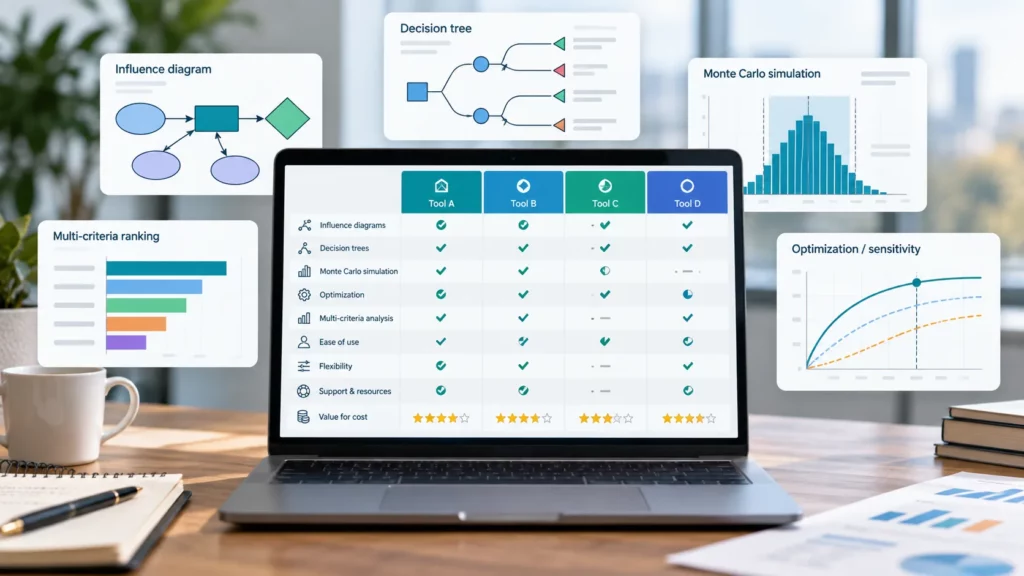
For power and utility decision makers weighing platforms under deep uncertainty, three classes of decision analysis software serve distinct needs. Analytica and DPL support influence diagram and decision tree modeling for portfolio and real option decisions. TreeAge Pro is the standard tool cited in published health economics and cost-effectiveness research. Comparion, 1000minds, and Logical Decisions apply multi-criteria decision analysis for stakeholder-weighted prioritization, while DecisionTools Suite and Analytic Solver extend Monte Carlo simulation and decision trees into Excel.
Analysts allocating capital under deep uncertainty face a recurring problem. A single point forecast hides the range of outcomes that matters to a board, a regulator, or a portfolio committee, and a spreadsheet built to handle one scenario at a time becomes unwieldy once uncertainty and sequential choices enter the picture.
This comparison targets technical decision makers in the power and utility sector, including directors of integrated resource planning and heads of risk at trading desks, as its primary audience, and analysts in six other areas of use who face structurally similar problems as a secondary audience. It reviews eight products across three methodological classes, drawing on the comparison table below and the selection guide that follows it.
This review checked every feature claim and price against public vendor sources in September 2026, and every limitation listed is one a vendor could read without factual objection.
Decision Analysis Software Compared: Features and Pricing
The table below separates modeling capabilities from commercial terms, since the two follow different verification cycles. A checkmark indicates a documented capability, “no” indicates that current public documentation does not confirm the capability, and “paid tier” indicates the capability exists only in a higher-priced edition.
Modeling Capabilities
The first table below covers modeling capabilities alone, listing each product’s maker, deployment type, and platform alongside six specific method classifications.
| Product | Deployment | Influence diagrams | Decision trees | Monte Carlo simulation | Value of information | Multi-attribute or MCDA | Optimization |
|---|---|---|---|---|---|---|---|
| Analytica Lumina Decision Systems | Stand-alone, web via ACP Windows, web | ✓ | ✓ | ✓ | ✓ | ✓ | Paid tier |
| DPL Syncopation Software | Stand-alone Windows | ✓ | ✓ | No | ✓ | No | No |
| TreeAge Pro TreeAge Software | Stand-alone Windows, macOS | No | ✓ | ✓ | ✓ | No | No |
| DecisionTools Suite Lumivero | Excel add-in Windows | ✓ | ✓ | ✓ | No | No | ✓ |
| Analytic Solver Frontline Systems | Excel add-in Windows, macOS, web | No | ✓ | ✓ | No | No | ✓ |
| Comparion Expert Choice | Web application Web | No | No | No | No | ✓ | No |
| 1000minds 1000minds Ltd | Web application Web | No | No | No | No | ✓ | No |
| Logical Decisions Logical Decisions Inc | Stand-alone Windows | No | No | No | No | ✓ | No |
Together, these six columns show that no single product documents every method, which supports matching a tool to the shape of a decision rather than searching for the broadest feature set.
Editions and Pricing
The table below shifts from capability to cost, listing free-tier availability and published annual pricing for the same eight products in the same order.
| Product | Free version | Annual price |
|---|---|---|
| Analytica | Free edition, capped at 101 objects, no time limit | Professional $1,000; Enterprise $2,000; Optimizer $4,000 |
| DPL | Trial only | Professional from $1,495 per user; Portfolio from $3,995 per user |
| TreeAge Pro | Trial only | Not publicly disclosed; quote-based |
| DecisionTools Suite | Trial only | From $1,882 per user for a three-year Professional term |
| Analytic Solver | 15-day trial | From $250 per year, rising to $1,995 per year for higher tiers |
| Comparion | Not available | From $660 per month |
| 1000minds | Not available | From $4,500 per project or survey, project-based |
| Logical Decisions | Not documented | Not publicly disclosed |
Features and prices reflect public vendor pages and third-party software directories as of September 2026. Logical Decisions has not published current pricing, and there was no independent confirmation of this figure with the vendor at the time of writing. Readers evaluating a purchase should treat every figure as a starting point for a vendor quote, not a final cost.
How These Tools Were Evaluated
This review assessed each product against six criteria based on its public documentation rather than marketing claims. The first criterion is modeling paradigm: whether the tool represents a decision problem as an influence diagram, a decision tree, a weighted criteria hierarchy, or a spreadsheet layer.
The second is transparency, meaning whether a third party could audit the model’s logic without access to the original analyst.
The remaining criteria are documented capability across five specific methods (influence diagrams, decision trees, Monte Carlo simulation, value of information analysis, and multi-attribute or multi-criteria methods), platform and deployment options, pricing as published or listed by the vendor, typical industry application based on named case studies or vendor use case pages, and free or trial availability.
Where current vendor documentation did not confirm a capability, this article states that the capability was not documented as of September 2026 rather than asserting its absence.
This article invents no claimed limitation in any review; where it could not identify a genuine limitation for a product, the review instead states what the tool is not designed for.
Selection Guide: Matching the Tool to the Decision Problem
The right tool depends more on the shape of your decision than on your industry, and the table below maps five common decision shapes to the products that fit them.
| If your decision needs this | Consider | Because |
|---|---|---|
| An auditable model a regulator or board can review without you present | Analytica or DPL | Both represent decisions and uncertainties as explicit diagram elements rather than nested spreadsheet formulas, which makes the logic easier to trace after the fact |
| A formal sequence of choices and chance events, such as approve or delay, then observe an outcome, then choose again | DPL or TreeAge Pro | DPL is more common in energy, life science, and infrastructure portfolios, while TreeAge Pro concentrates in health economics and legal risk |
| Continued work inside an Excel model you already maintain, without adopting a new modeling paradigm | DecisionTools Suite or Analytic Solver | Both add Monte Carlo simulation and decision trees to an existing spreadsheet, at a lower switching effort than a stand-alone platform |
| A constrained optimization, rather than simply evaluating a fixed set of alternatives | Analytica’s Optimizer edition or Analytic Solver’s optimization module | Both handle constrained optimization under uncertainty |
| A trade-off among competing, partly qualitative criteria weighted by multiple stakeholders | Comparion, 1000minds, or Logical Decisions | Each uses a different elicitation method, which the core capabilities section below covers, and the choice often comes down to whether your stakeholders prefer ranking pairs of options or assigning direct numeric weights |
Whichever row matches your situation, the underlying logic carries through the rest of this article: sequential choices point to decision trees or influence diagrams, Excel-native workflows point to the two add-ins, and stakeholder-weighted trade-offs point to a multi-criteria tool.
Core Capabilities in Decision Analysis Software
The subsections below define the core capabilities, independent of any single vendor’s terminology.
Influence Diagrams and Model Transparency
An influence diagram is a directed graph that represents a decision problem using three node types, decisions, uncertainties, and outcomes, with arrows connecting them to show which factors influence which. Unlike a decision tree, an influence diagram does not enumerate every possible sequence of events explicitly, which keeps large models visually manageable.
Because each node and connection is a labeled, inspectable object, influence diagrams are often easier for a non-builder to audit than an equivalent spreadsheet, a property that matters directly to regulatory and board-facing analysis.
Decision Trees and Sequential Decisions
A decision tree represents a problem as a branching sequence of decision nodes, chance nodes, and terminal outcomes, which a reader follows left to right in the order choices and events actually occur. Each branch carries a probability or a decision option, and an analyst solves the tree by working backward from the endpoints to find the strategy with the highest expected value. Decision trees suit problems with a small number of clearly sequential choices, such as whether to invest now, wait for more information, or abandon a project.
Probability Distributions and Uncertainty Propagation
Rather than a single estimate, a modeler can represent an uncertain input as a probability distribution describing the range of values it might take and how likely each is. Monte Carlo simulation propagates that uncertainty through a model by repeatedly sampling from each input distribution and recalculating the output, producing a distribution of possible results rather than one number. This differs from a decision tree’s discrete branch probabilities, since Monte Carlo methods typically handle continuous ranges such as fuel prices or load growth.
Probabilistic Dependence and Correlation
Real-world variables are rarely independent. Fuel price and electricity price, for instance, tend to vary together, so that a model that samples them independently will understate the probability of extreme joint outcomes. Tools that support correlated sampling let the analyst specify relationships between two or more uncertain inputs, so the simulation reflects realistic dependence.
Value of Information Analysis
Value of information analysis estimates how much a decision maker should be willing to pay to resolve an uncertainty before committing to a choice, by comparing the expected value of the decision with and without that additional information. It is most useful when a study, a pilot, or a delay could reduce uncertainty on a specific input, and the analysis quantifies whether that wait is worth its cost. This calculation depends on the same probability distributions, decisions, and objectives used in the model, so it is only available for tools that include these explicitly.
Multi-Attribute Utility and Weighted Criteria Methods
Multi-attribute utility theory combines several distinct objectives, such as cost, safety, and environmental impact, into a single weighted score by first converting each objective to a common utility scale and then applying stakeholder-derived weights. The analytic hierarchy process is a related method that derives those weights from pairwise comparisons between criteria rather than direct numeric input. Both approaches suit decisions where no single financial metric captures every stakeholder’s concern.
Optimization Under Uncertainty
Optimization under uncertainty searches for the best decision subject to defined constraints, such as budget or capacity limits, while accounting for probabilistic inputs rather than fixed values. This differs from simply evaluating a handful of alternatives, since the software searches a much larger space of possible decisions to find the constrained optimum. Only a subset of decision analysis tools include a true optimization solver rather than scenario comparison alone.
Multidimensional Arrays, Scenarios, and Sensitivity Analysis
A multidimensional array lets a single variable hold values across several dimensions at once, such as year, fuel type, and region, without duplicating formulas for each combination. Sensitivity analysis then identifies which input variables most affect the output, and a tornado diagram often ranks them by impact. Tools built around multidimensional arrays generally scale to complex, multi-scenario problems with less duplicated structure than a comparable spreadsheet.
Auditability, Documentation, and Model Review
Auditability refers to how easily a reviewer who did not build a model can verify its logic and inputs. Diagram-based tools with named, labeled variables tend to score higher on this criterion than dense spreadsheet formulas, since each element documents its own purpose. For regulated industries, this property often matters as much as raw computational power.
Deployment, Collaboration, and Stakeholder-Facing Interfaces
Deployment options range from a single analyst’s desktop file to a web-hosted model that stakeholders can open in a browser without installing software. Web deployment supports group elicitation, live sensitivity testing during a meeting, and distribution to non-technical reviewers, while desktop-only tools generally require sharing the model as a file and opening it in the same software.
Integration with Excel, Databases, and Python
Integration determines whether a tool can read inputs from and write outputs to Excel workbooks, SQL databases, or Python and R scripts, rather than requiring manual data entry. Spreadsheet add-ins integrate with Excel by definition, while stand-alone platforms vary in whether they connect to external databases as a core feature or a paid add-on.
Probabilistic Decision Modeling Platforms
The three products in this group share a common trait: each represents decisions and uncertainties as explicit modeling objects rather than folding them into spreadsheet formulas.
Analytica
Lumina Decision Systems develops Analytica, a decision analysis platform that models problems as influence diagrams rather than spreadsheet formulas. Its Intelligent Arrays feature lets a single variable carry values across multiple dimensions, such as time, region, and fuel type, without separate formulas for each combination, a capability Lumina documents as a core differentiator from spreadsheet-based modeling.
Analytica builds Monte Carlo simulation and correlated sampling into the platform rather than adding them through a plugin, and the Analytica Cloud Platform publishes models to the web so stakeholders can review and adjust inputs without installing the desktop software.
Best for: organizations building auditable, multidimensional models for board or regulatory review, particularly in energy and environmental planning.
Key strengths:
- Influence diagrams keep decisions, uncertainties, and outcomes as separate, labeled, inspectable objects
- Intelligent Arrays handle multidimensional problems without duplicated formula structure
- Monte Carlo simulation and correlated sampling are native rather than add-on features
- A permanently free edition supports models up to 101 objects with no time limit
- Web deployment through the Analytica Cloud Platform supports non-technical stakeholder review
- An Optimizer edition adds constrained optimization for linear, nonlinear, and integer problems
Limitations:
- Requires learning an influence diagram modeling paradigm that differs from spreadsheet logic
- Its installed user base is smaller than that of Excel-based decision tools
- Does not include a dedicated multi-attribute or AHP-style weighted criteria module
- The free edition’s 101-object cap requires an upgrade for most production models
Price: Professional edition $1,000 to $2,500 per year, Enterprise edition $2,000 to $5,000 per year, and Optimizer edition $4,000 to $10,000 per year, as of September 2026, per vendor website. A permanently free edition is available with no time limit.
Verdict: Analytica suits organizations that need a transparent, multidimensional model they can hand to a regulator or a board without translating spreadsheet logic first. Teams without a diagram-based analyst already on staff should budget time for the learning curve before adoption.
Website: lumina.com
DPL
Syncopation Software develops DPL, a decision analysis platform that combines decision trees and influence diagrams within a single graphical interface. It links closely to Excel, letting an analyst build a cash flow model in a spreadsheet and connect it to a DPL decision structure, or build the full model natively within DPL.
Rainbow diagrams, a DPL-specific two-way sensitivity display, extend standard tornado charts by showing how two variables jointly affect the recommended decision.
Best for: portfolio and single-project decision analysis in energy, life science, and infrastructure, where a formal sequence of decisions and chance events needs an audit trail.
Key strengths:
- Combines decision trees and influence diagrams in one modeling environment
- Excel linking allows financial detail to live in a spreadsheet while decision logic stays in DPL
- Documented value of information tooling supports quantifying the worth of reducing a specific uncertainty
- Rainbow diagrams extend standard sensitivity analysis to two variables at once
- A DPL Portfolio edition reuses project templates across a portfolio of similar decisions
- Over two decades of documented use in life science, energy, utilities, and manufacturing
Limitations:
- Current documentation does not confirm continuous Monte Carlo simulation as of September 2026, and chance nodes rely primarily on discrete probability distributions
- Does not include a multi-attribute or AHP-style weighted criteria module
- Windows-only desktop deployment, with no documented web or macOS version
- No permanently free edition, only a time-limited trial
Price: DPL Professional starts from $1,495 per user, and DPL Portfolio starts from $3,995 per user, as of September 2026, per third-party software directories. A free trial is available.
Verdict: DPL fits teams whose decisions are naturally sequential and who want Excel-linked financial detail without leaving a dedicated decision tree environment. Organizations that need continuous probabilistic simulation alongside tree logic should confirm current Monte Carlo capability directly with the vendor.
Website: syncopation.com
TreeAge Pro
TreeAge Software develops TreeAge Pro, a decision analysis platform that specializes in decision trees, Markov models, and related simulation methods for health economics, legal risk, and business decisions.
A Markov model represents a system that moves between a defined set of states over repeated time cycles, such as a patient moving between health states in a disease progression model, and TreeAge Software documents its Markov tools as a core feature rather than an add-on.
The software also supports patient-level microsimulation, discrete event simulation, and partitioned survival analysis, alongside cost-effectiveness reporting that generates incremental cost-effectiveness ratios directly from a built model.
Best for: cost-effectiveness analysis, clinical decision modeling, and litigation risk modeling, particularly where regulatory or publication standards require a specific reporting format.
Key strengths:
- Decision trees and Markov models are both native, first-class modeling structures
- Probabilistic sensitivity analysis and Monte Carlo simulation quantify parameter uncertainty
- Value of information analysis, including expected value of perfect information, supports research prioritization decisions
- Supports patient-level microsimulation and discrete event simulation for more granular healthcare models
- Widely cited in published health economics and cost-effectiveness literature
- Separate Healthcare and Business or Law editions target discipline-specific reporting needs
Limitations:
- Does not include influence diagrams as a modeling structure
- Does not include a multi-attribute or AHP-style weighted criteria module
- TreeAge Software does not publicly disclose pricing and requires a vendor quote
- A documented learning curve accompanies its comprehensive feature set
Price: Not publicly disclosed as of September 2026; TreeAge Software offers annual, standard perpetual with maintenance, group, and network licenses, and prices each by quote. A free trial is available.
Verdict: Published cost-effectiveness and health economics research references TreeAge Pro more consistently than any other tool reviewed here, which matters directly for regulatory submissions in that field. Because it has no published pricing, procurement teams should request a quote early in the evaluation process.
Website: treeage.com
Spreadsheet-Based Decision Analysis Tools
Both products in this group extend Excel itself, adding decision analysis capability through an add-in rather than requiring a separate stand-alone application.
DecisionTools Suite
Lumivero, formerly Palisade, develops DecisionTools Suite, an Excel add-in that bundles seven analytical tools, including @RISK for Monte Carlo simulation and PrecisionTree for decision trees and influence diagrams, into a single package. Because the suite runs inside Excel, an analyst can add probabilistic inputs and decision structures to an existing spreadsheet model without rebuilding it in a separate application.
PrecisionTree specifically documents support for influence diagrams, Bayesian revision, and integration with @RISK to simulate uncertainty within decision tree outcomes.
Best for: teams with an established Excel modeling base who want to add Monte Carlo simulation and decision trees without switching platforms.
Key strengths:
- Bundles Monte Carlo simulation, decision trees, and optimization in one Excel add-in package
- PrecisionTree documents influence diagram and Bayesian revision capability alongside standard decision trees
- Large installed base gives new users access to extensive third-party training material
- Includes StatTools for statistical analysis and forecasting alongside the core risk and decision tools
- RISKOptimizer and Evolver extend the suite to constrained optimization problems
- Familiar Excel interface lowers the learning curve for spreadsheet-native analysts
Limitations:
- Proprietary functions reduce model portability outside Excel and outside Lumivero’s own tools
- Current documentation does not confirm value of information analysis as a labeled, standalone feature as of September 2026
- Does not include a multi-attribute or AHP-style weighted criteria module
- Windows-only deployment, with no documented macOS or browser version
Price: Starting from approximately $1,882 per user for a three-year Professional edition term, with Industrial edition and individual tool pricing available separately, as of September 2026, per third-party software directories. A free trial is available.
Verdict: DecisionTools Suite suits organizations that have standardized on Excel and want to add simulation and tree-based decision analysis without introducing a new file format. Teams that later need to share models outside Excel should weigh the portability trade-off against the lower switching cost.
Website: lumivero.com
Analytic Solver
Frontline Systems, the company that built the Solver tool Microsoft ships inside Excel, develops Analytic Solver, an Excel add-in that combines Monte Carlo simulation, decision trees, and optimization in one package. It supports solving optimization problems with several thousand decision variables using conventional, stochastic, and robust optimization methods, and it is available for Excel on Windows, macOS, and through a browser via Excel Online.
A companion Analytic Solver Data Science add-in extends the same license to forecasting and machine learning methods.
Best for: teams that need optimization under uncertainty alongside simulation, without a dedicated license server, and want a browser-accessible option.
Key strengths:
- Combines simulation, decision trees, and optimization in a single Excel add-in
- Documented support for optimization problems with several thousand decision variables
- Available on Windows, macOS, and through Excel Online without a separate license server
- Converts existing @RISK models for use within Analytic Solver
- Bundled Data Science add-in extends the same license to forecasting and machine learning
- Vendor-documented recognition of models built with Frontline’s free Solver for Excel Online
Limitations:
- Does not include influence diagrams as a documented modeling structure
- Current documentation does not confirm value of information analysis as a labeled feature as of September 2026
- Does not include a multi-attribute or AHP-style weighted criteria module
- Full optimization and simulation functionality requires a paid license beyond the entry tier
Price: Tiers starting from approximately $250 per year, rising to $995 and $1,995 per year for expanded feature sets, as of September 2026, per third-party software directories. A 15-day free trial is available.
Verdict: Analytic Solver fits teams whose core need is optimization under uncertainty rather than tree-based sequential decisions, particularly where a browser-accessible option matters. Its entry-tier pricing makes it accessible for smaller teams testing the approach before a larger commitment.
Website: solver.com
Multi-Criteria Decision Analysis Tools
The three products in this group depart from the tree- and diagram-based methods above, deriving a recommendation from stakeholder-weighted criteria rather than from probability-driven expected value.
Comparion
Comparion is a web-based multi-criteria decision analysis platform from Expert Choice, the company that introduced the analytic hierarchy process in commercial software in 1983. It structures a decision as a hierarchy of criteria and alternatives, then derives weights from pairwise comparisons between criteria rather than direct numeric scoring, with a documented consistency ratio that flags contradictory judgments during the process.
The platform includes facilitator dashboards for running the pairwise comparison process live with a stakeholder group, along with sensitivity analysis to test how weight changes affect the final ranking.
Best for: capital allocation, vendor selection, and public sector prioritization decisions where multiple stakeholders must reach a defensible, documented consensus on weighted criteria.
Key strengths:
- Built around the analytic hierarchy process as a first-class method rather than one option among several
- Documented consistency ratio flags contradictory pairwise judgments during elicitation
- Facilitator dashboards support live, group-based weighting sessions
- Sensitivity analysis shows how changes to criteria weights affect the final ranking
- Documented use by federal, state, and local government agencies for capital and portfolio decisions
- Discounted academic and dissertation licenses are available for non-commercial research
Limitations:
- Does not include decision trees, influence diagrams, or Monte Carlo simulation
- No free version is available, only a paid subscription
- Best suited to prioritization and ranking problems rather than sequential decisions under continuous uncertainty
- Pairwise comparison can become time-consuming as the number of criteria grows
Price: From approximately $660 per month, with separate academic and dissertation research pricing available, as of September 2026, per vendor and third-party listings.
Verdict: Comparion suits organizations that have committed to the analytic hierarchy process as their prioritization method and want the software to handle the pairwise math rigorously. Teams weighing sequential decisions under continuous probabilistic uncertainty should look to Group A instead.
Website: expertchoice.com
1000minds
1000minds Ltd develops 1000minds, a web-based multi-criteria decision analysis and conjoint analysis platform that implements the PAPRIKA method, an acronym for Potentially All Pairwise Rankings of all possible Alternatives. Rather than asking participants to assign numeric weights directly, PAPRIKA presents pairs of hypothetical alternatives and asks which one a participant prefers, then derives consistent criterion weights from those choices, a method the vendor documents as reducing the cognitive burden of direct numeric scoring.
The platform supports large group surveys, including stakeholder panels that span an organization, and has a documented history in patient prioritization and health technology assessment dating to research at the University of Otago.
Best for: health prioritization, public sector resource allocation, and any group decision where stakeholders are more comfortable choosing between concrete alternatives than assigning direct numeric weights.
Key strengths:
- PAPRIKA derives weights from simple pairwise choices rather than direct numeric input
- Documented, peer-reviewed use in patient prioritization and health technology assessment
- Supports large-scale stakeholder surveys with results aggregated across participants
- Web-based deployment requires no software installation for survey participants
- Sensitivity analysis and shareable reports support audit trails for public sector decisions
- More than two decades of documented application across health, government, and academic sectors
Limitations:
- Does not include decision trees, influence diagrams, or Monte Carlo simulation
- No free version is available, and pricing follows a per-project or per-survey structure
- Best suited to ranking and prioritization problems rather than sequential decisions under continuous uncertainty
- 1000minds provides health-sector pricing on request rather than publishing it outright
Price: From approximately $4,500 per project or survey for general use, with separate health decision-making pricing available on request, as of September 2026, per vendor and third-party listings.
Verdict: 1000minds suits organizations running structured, defensible prioritization exercises across distributed stakeholder groups, particularly in health and public policy. Teams needing continuous probabilistic modeling alongside prioritization should pair it with a Group A tool rather than expect one platform to cover both.
Website: 1000minds.com
Logical Decisions
Logical Decisions is a multi-criteria decision analysis platform from Logical Decisions Inc that implements multi-attribute utility theory and the analytic hierarchy process within a single desktop application. It has a documented history in environmental resource management and public health budgeting, where decisions involve trade-offs among criteria that no single financial metric can capture. The software lets an analyst define value functions that convert raw criterion scores, such as habitat area or budget impact, into a common utility scale before applying stakeholder weights.
Best for: environmental and water resource trade-off analysis where multi-attribute utility theory, rather than pairwise ranking alone, fits the stakeholder group’s preferred elicitation style.
Key strengths:
- Supports both multi-attribute utility theory and the analytic hierarchy process in one product
- Documented use in environmental resource management and public health budget prioritization
- Value functions convert dissimilar criteria, such as cost and ecological impact, to a common scale
- Long publication record in peer-reviewed environmental and health decision literature
- The software handles criteria and attribute weighting as explicit, documented model elements
Limitations:
- Does not include decision trees, influence diagrams, or Monte Carlo simulation
- Logical Decisions Inc has not published current pricing, and this article could not confirm it with the vendor as of September 2026
- Windows-only desktop deployment, with no documented web-based version
- Smaller public documentation footprint than the other two MCDA tools reviewed here
Price: Not publicly disclosed as of September 2026, and not independently confirmed with the vendor at the time of writing.
Verdict: Logical Decisions fits environmental and public health teams already using multi-attribute utility theory in published work, where continuity with that methodology matters. Procurement teams should contact the vendor directly, since current pricing was not available in public documentation.
Website: Not confirmed at the time of writing; readers should search for the vendor’s current site directly.
Adjacent Categories Worth Knowing
Three related categories sit near decision analysis software without answering quite the same question, and naming them here helps readers who arrived expecting one of these tools to see why it is out of scope.
Bayesian network tools, including Netica, Hugin, and BayesiaLab, use a similar node-and-arrow visual structure to influence diagrams, but they serve probabilistic inference and belief updating from evidence rather than full decision modeling with continuous quantities and expected value calculations.
Portfolio prioritization platforms, including Decision Lens and SmartOrg, add workflow and governance layers on top of prioritization logic, supporting features such as approval chains and budget tracking across many projects at once. They are generally less flexible for building a bespoke probabilistic model than the tools this article reviewed above, since their design assumes a more standardized scoring process across a large project pipeline.
Capacity expansion and production cost models, including PLEXOS, AURORA, and EnergyPLAN, answer a narrower and more domain-specific question than general decision analysis: given a set of generation and transmission assets, what is the least-cost way to meet electricity demand over time. These tools matter specifically to the power-sector audience of this article, since readers researching generation portfolio decisions may encounter them alongside the platforms this article reviews here, but they solve an optimization problem within power systems rather than a general decision-analysis problem.
Decision Analysis in the Power and Utility Sector
Six recurring decision problems in power and utility planning share a structural feature that makes them poor fits for a single spreadsheet scenario: each involves either a sequence of choices unfolding over time or a quantity of interest that only a full probability distribution can capture.
| Decision problem | Why a single spreadsheet scenario falls short | Tool class that fits |
|---|---|---|
| Integrated resource planning | The decision is a sequence of build and retirement commitments under load growth, fuel price, and policy uncertainty; a spreadsheet scenario represents one path, not the full decision tree | Decision tree and influence diagram tools, which represent each future choice as conditional on earlier decisions and observed uncertainty |
| Transmission and interconnection investment | Option value depends on where future generation will locate, information that remains unknown for years after the investment decision | Real options analysis within a decision tree or influence diagram tool, which makes the waiting value explicit |
| Plant retirement and repowering | The decision is effectively when to exercise an option to close or convert an asset; a static cost comparison leaves that waiting value qualitative | Tools with native value of information analysis, such as DPL and TreeAge Pro, which quantify the waiting value directly |
| Power purchase agreement and portfolio valuation | Modeling each variable independently understates correlated price, load, and availability risk | Monte Carlo simulation tools with documented support for correlated sampling |
| Resource adequacy and reliability | The quantity of interest is a tail probability, such as the chance of a shortfall event, rather than an expected value | Monte Carlo simulation tools built to produce a full probability distribution |
| Rate case and regulatory support | The model must be transparent enough for intervenors and commission staff to audit without the original analyst present | Influence diagram tools, which document this transparency advantage over dense spreadsheet formulas |
The same underlying logic extends to six other areas of use, where the specific application changes but the reasoning about sequential choice, correlated risk, or stakeholder-weighted trade-offs stays the same.
- Environment and climate: the real options and portfolio methods used for plant retirement apply to emissions abatement portfolio selection and climate adaptation investment under scenario uncertainty
- Water and ocean resources: multi-criteria decision analysis tools support reservoir operating policy and allocation decisions among competing users with different priorities
- Business and finance: decision trees and real options valuation support capital project prioritization and research and development portfolio selection
- Health and pharmaceuticals: TreeAge Pro’s Markov and cost-effectiveness tools support clinical decision modeling and drug development go/no-go decisions
- Transportation and manufacturing: decision trees under demand uncertainty support fleet electrification and plant siting choices
- Academic research: several of these tools appear directly in published decision theory teaching and peer-reviewed policy analysis, supporting reproducible normative modeling
Across all seven areas, the tool selection logic stays consistent with the selection guide earlier in this article: sequential choices favor decision trees or influence diagrams, correlated or tail-probability risk favors Monte Carlo simulation, and stakeholder-weighted trade-offs favor multi-criteria decision analysis.
Is This Comparison Objective?
A team that includes staff of Lumina Decision Systems, the maker of Analytica, researched and wrote this comparison, and readers should weigh that affiliation against the following safeguards.
- This article includes Analytica as one of the eight products it reviews, rather than presenting it separately from its competitors
- This article checked every competitor limitation against public vendor documentation before inclusion
- This article includes no limitation that a vendor could reasonably dispute as factually inaccurate
- Readers who find an inaccuracy in any review, including the Analytica review, can contact Lumina Decision Systems through the official contact page at lumina.com
These safeguards narrow the risk of bias but do not remove the underlying affiliation, so readers evaluating a purchase should weigh this article alongside independent sources as well.
Frequently Asked Questions
What is decision analysis software?
Decision analysis software helps analysts structure a choice under uncertainty, typically using influence diagrams, decision trees, or weighted criteria methods, then calculates which option performs best given stated probabilities and objectives. It differs from general spreadsheet modeling by making uncertainty, sequential choices, and competing objectives explicit, structured elements of the model rather than implicit assumptions buried in formulas.
What is the difference between decision analysis software and Monte Carlo simulation software?
Monte Carlo simulation software propagates uncertainty through a fixed model structure to produce a distribution of possible outcomes for a single scenario. Decision analysis software adds an explicit representation of sequential choices, such as decision trees or influence diagrams, or explicitly weights competing objectives, such as multi-criteria methods, on top of or instead of that simulation layer.
When is an influence diagram preferable to a decision tree?
A decision tree makes explicit the branching sequence of possible decisions and chance outcomes. It is clearer for small decision problems, since its branching structure mirrors the actual order of decisions and events, especially when there are strong asymmetries, where some options are not relevant after preceding branches.
However, influence diagrams scale much better than decision trees for problems with large numbers of chance variables and decisions. Decision trees require explicit enumeration of every possible combination of events, and so are exponential in the number of variables.
Which decision analysis software is used in the power and utility sector?
Analytica and DPL appear in documented energy sector applications, including integrated resource planning and portfolio valuation, because they support multidimensional modeling and value-of-information analysis. DecisionTools Suite and Analytic Solver also appear in energy and utilities documentation through their Excel-based Monte Carlo simulation capabilities.
Can Excel be used for decision analysis?
Excel alone lacks native support for probability distributions, decision trees, or Monte Carlo simulation, so unaided spreadsheets handle single-scenario analysis rather than full decision analysis under uncertainty. Add-ins such as DecisionTools Suite and Analytic Solver extend Excel with these capabilities without requiring a separate application.
What software supports value of information analysis?
Analytica, DPL, and TreeAge Pro each document value-of-information capability, allowing an analyst to estimate how much it is worth to reduce a specific uncertainty before committing to a decision. This calculation requires native probabilistic modeling, which is why spreadsheet add-ins without built-in probability distributions generally do not support it directly.
Which tools support multi-criteria decision analysis?
Comparion uses the Analytic Hierarchy Process, 1000minds uses the PAPRIKA pairwise ranking method, and Logical Decisions supports both multi-attribute utility theory and the Analytic Hierarchy Process. Each derives criteria weights differently, so the choice between them often depends on which elicitation method a stakeholder group finds more intuitive.
What is the best free decision analysis software?
Analytica offers the most capable permanently free edition among the products this article reviews, supporting models up to 101 objects with no time limit and including Monte Carlo simulation and influence diagrams at no cost. The other seven products this article reviews offer time-limited trials rather than a permanent free tier.
How should an organization evaluate decision analysis software before purchase?
Start by identifying whether the decision is sequential, in which case a decision tree or influence diagram tool fits, or a weighted trade-off among criteria, in which case a multi-criteria tool fits. Then confirm current pricing and platform requirements directly with the vendor, since published figures change and several vendors in this category price by quote rather than by published list.